TickCheck
TickCheck is an editor-only Unreal Engine plugin by ECal Studios that helps you find unnecessary or risky Tick usage before it becomes a performance habit.
Tick is not always bad. Many gameplay systems need it. TickCheck is designed to make Tick usage easier to review, understand, and clean up safely.
Current version
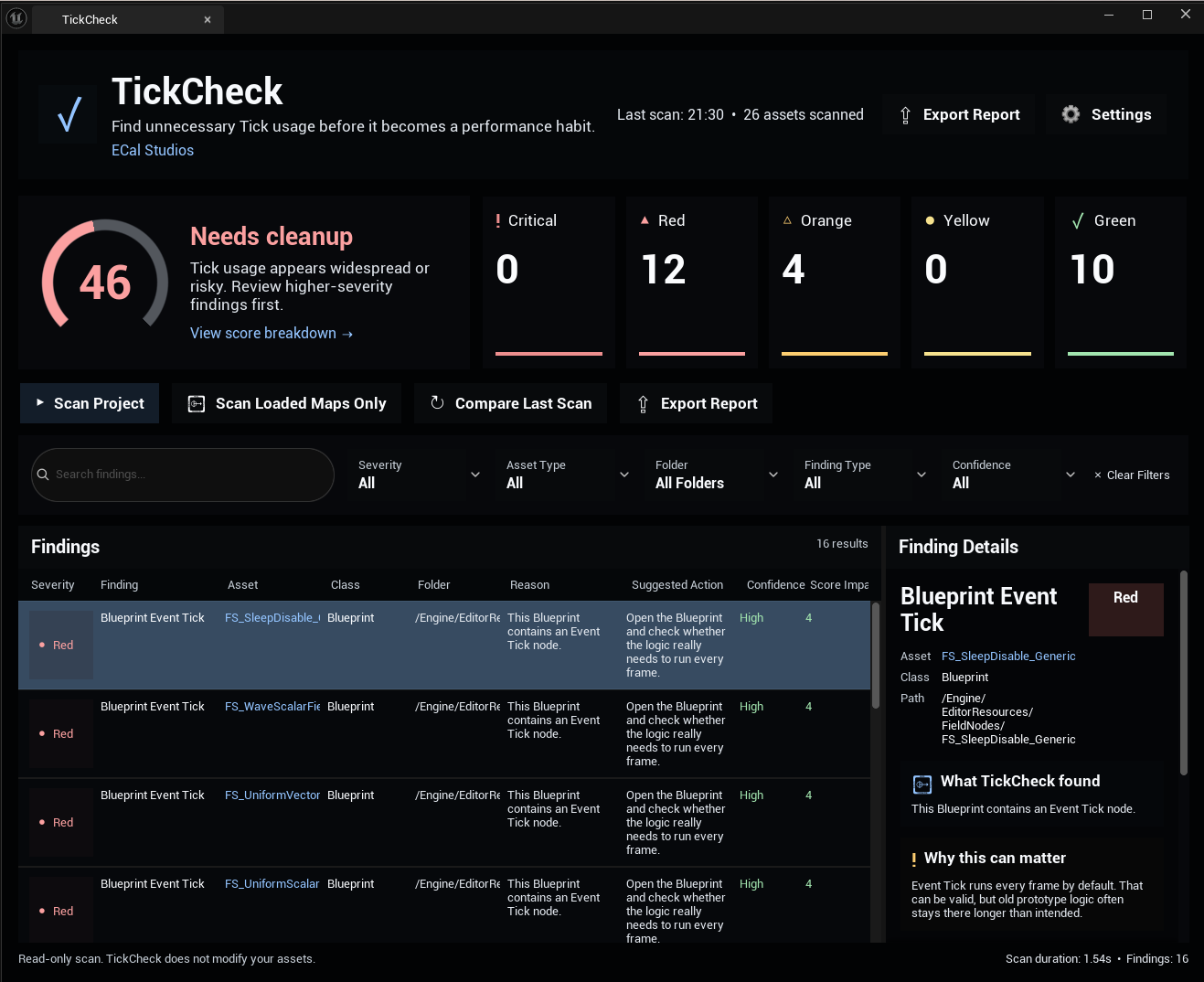
TickCheck 1.1.0 is a major usability and UI update with a redesigned dashboard, clearer filtering, stronger result details, and built-in settings.
What TickCheck helps you review
TickCheck scans your Unreal project and highlights Tick-related patterns that may be worth reviewing:
- Blueprint Event Tick nodes
- Actors with Tick enabled
- Components with Tick enabled
- Tick Interval set to
0 - Hidden actors that still tick
- Tick-heavy classes and repeated Tick patterns
- Findings grouped by severity, confidence, and score impact
TickCheck also provides a project-level Tick Health Score from 0 to 100, so you can quickly understand how clean or risky your current Tick usage looks.
What changed in 1.1.0
Version 1.1.0 makes TickCheck feel much more like a polished editor dashboard:
-
Premium dashboard UI
A cleaner dark interface with stronger hierarchy, better spacing, score cards, and a right-side details panel.
-
Tick Health Score
A large score card and circular score ring help you understand the project state at a glance.
-
Better filtering
Search, severity, folder, asset type, finding type, and confidence filters make large result lists easier to review.
-
Beginner-friendly details
Each selected finding explains what was found, why it can matter, when it might be okay, and a safe next step.
Requirements
| Requirement | Details |
|---|---|
| Unreal Engine | 5.5, 5.6, 5.7 |
| Plugin type | Editor-only |
| Runtime impact | None |
| Blueprint nodes | None |
| External dependencies | None |
Quick start
- Enable the TickCheck plugin.
- Restart Unreal Engine if requested.
- Open Tools > ECal Studios > TickCheck.
- Click Scan Project.
- Review the Tick Health Score.
- Click severity cards or use filters to narrow the findings.
- Select a finding to read the explanation and suggested next step.
- Use Open Asset or Browse to Folder to inspect the asset manually.
- Export a report if you want to keep a review record.
Read-only by design
TickCheck does not automatically remove Tick, edit Blueprints, modify actors, save assets, or change project settings. This is intentional because Tick usage can be valid and project-specific.
Documentation
Support
For support, email [email protected] and include the plugin name, plugin version, Unreal Engine version, and a short description of the issue.