DataForge
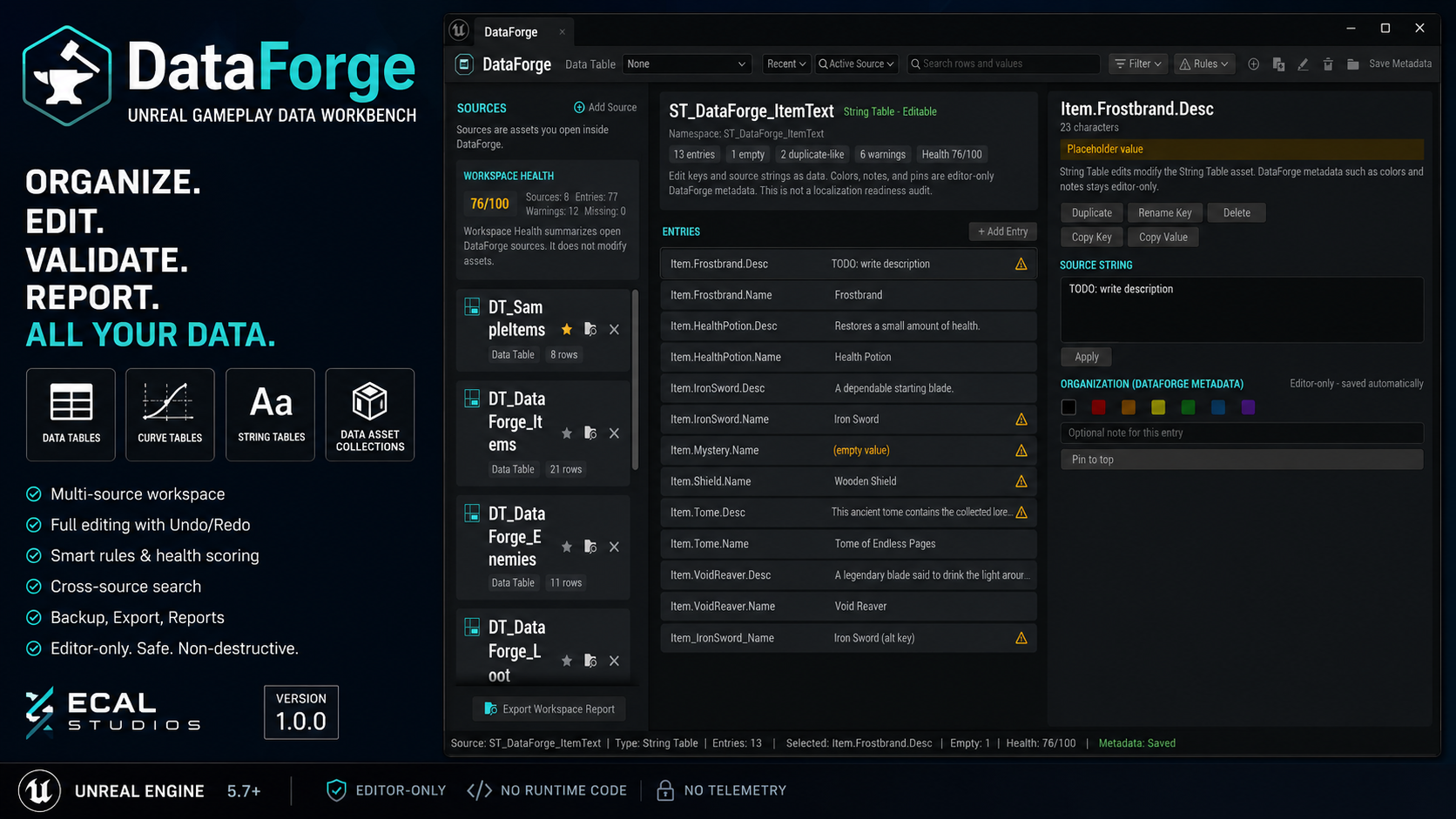
DataForge is an editor-only Unreal Engine plugin for managing gameplay data from one focused workbench. It helps you organize, edit, search, validate, back up, and report on Data Tables, Curve Tables, String Tables, and Data Asset Collections without adding runtime code to your game.
It is made for projects where gameplay data starts to spread across many assets: item tables, loot tables, balance curves, string keys, ability data, economy values, enemy stats, and other design-heavy content that needs regular review.
Version covered by this documentation
This documentation covers DataForge 1.0.0. The plugin is editor-only and has been prepared for Unreal Engine 5.5, 5.6, and 5.7. The supplied release notes mention Unreal Engine 5.7 as the main validated editor version.
What DataForge helps with
-
Data Tables
Edit rows, organize entries into virtual folders, use notes and colors, batch edit shared fields, apply smart rules, and export review files.
-
Curve Tables
Browse curve rows, edit Time/Value keys, add or remove keys, review curve health warnings, and export snapshots or reports.
-
String Tables
Edit source strings with an explicit Apply workflow, manage keys, find empty or placeholder values, and keep string data easier to review.
-
Data Asset Collections
Group Data Assets into manual or folder-based collections, search them, preview simple properties, add notes/colors/pins, and report on the collection.
-
Workspace search
Search the active source or the whole workspace, then jump directly to matching rows, curves, string entries, or Data Asset collection items.
-
Backups and reports
Create local backups, export the current view as CSV/JSON/Markdown, and generate Markdown reports for cleanup, handoff, or documentation.
Workbench overview
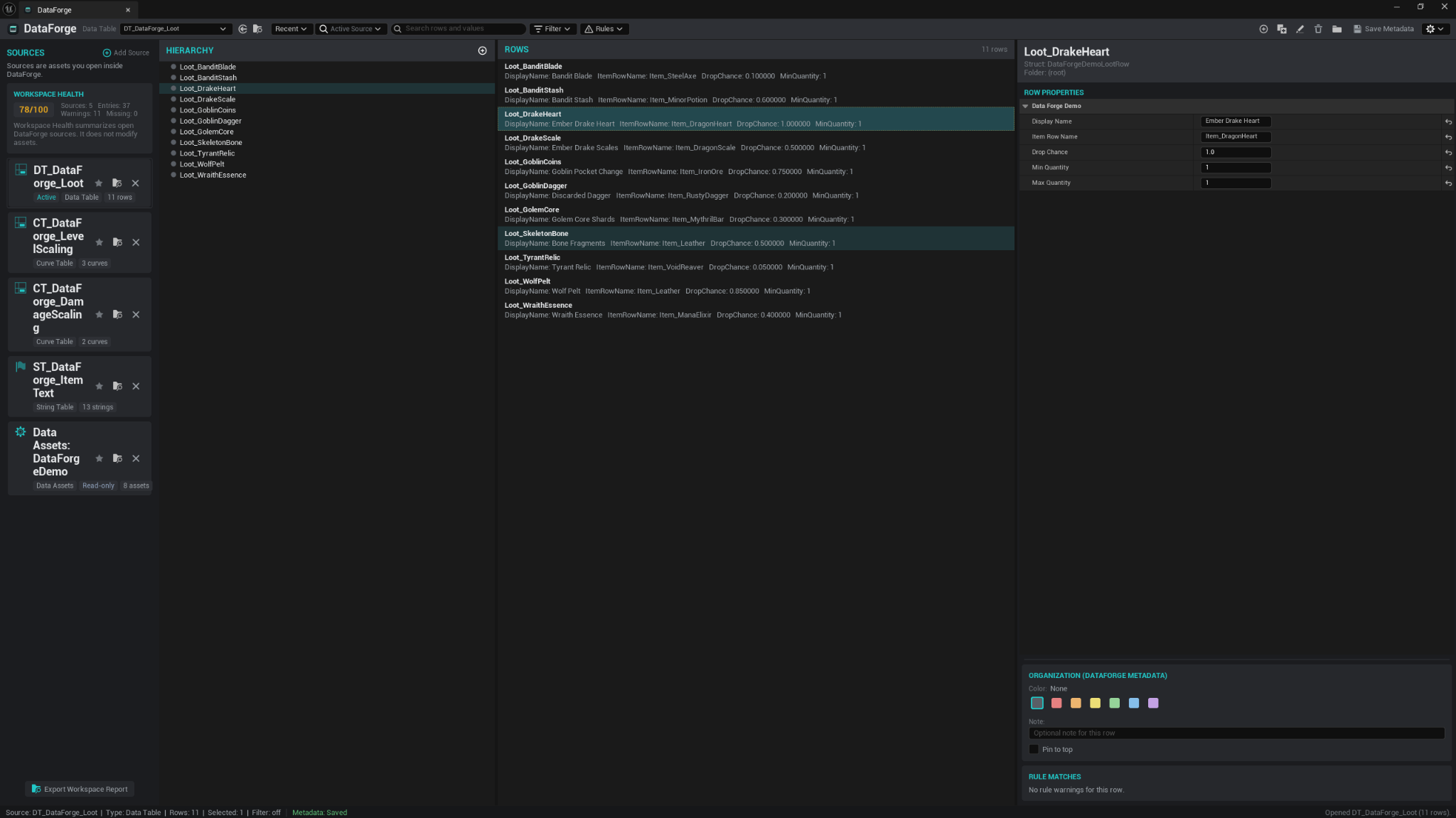
DataForge opens as a dockable Unreal Editor window with three main areas:
- Sources on the left, where you keep the tables and collections you are currently working with.
- Active source view in the center, where rows, curves, strings, or collection assets are displayed.
- Inspector and metadata tools on the right, where you edit selected data, add notes, set colors, pin important entries, and review warnings.
The goal is to keep data work close to the editor, but cleaner than jumping between many individual assets all day.
Welcome and demo workspace
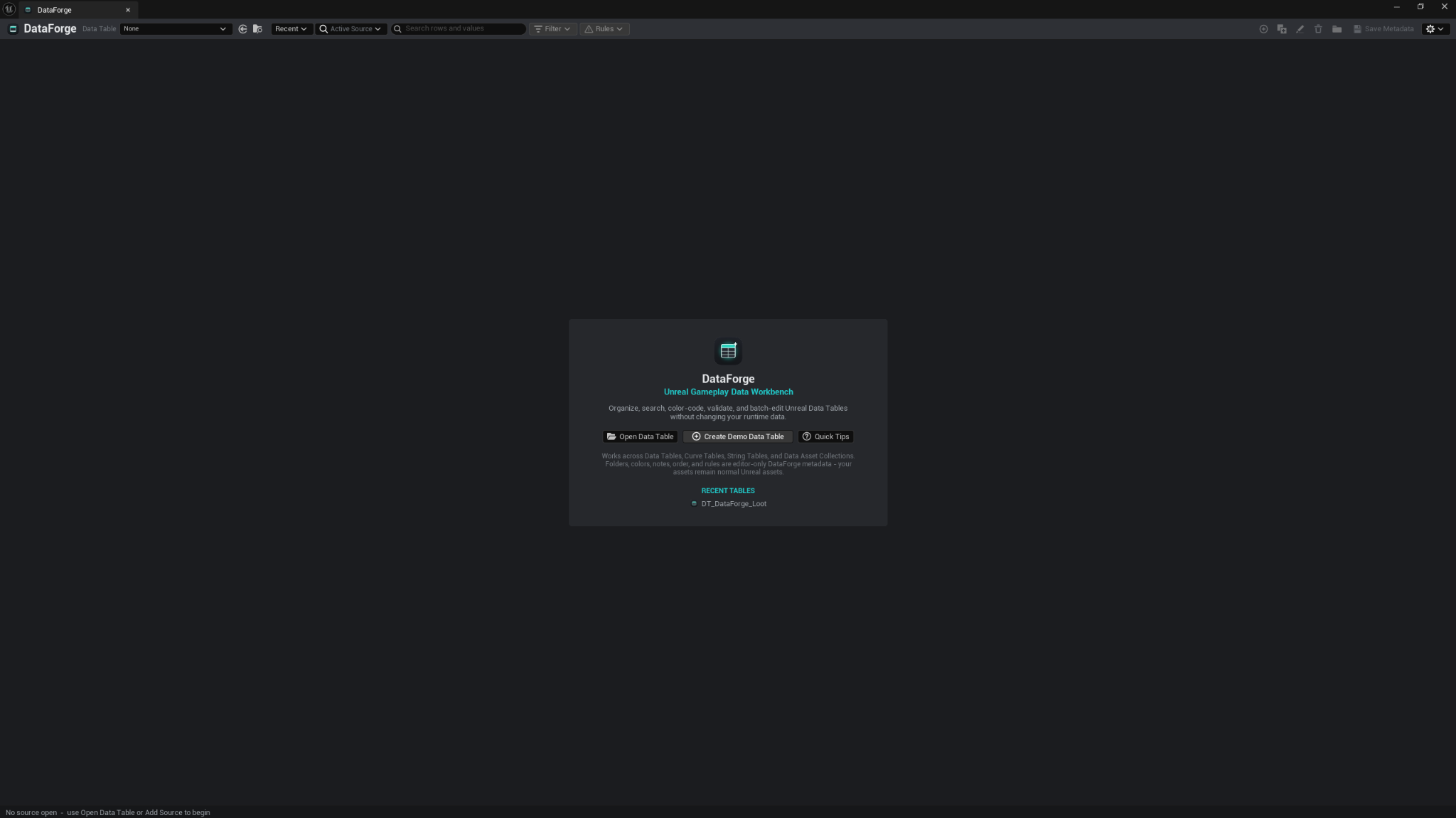
When no source is open, DataForge shows a small welcome panel with shortcuts to open a Data Table, create demo data, or view quick tips.
The demo workspace creates sample Data Tables, Curve Tables, a String Table, and a Data Asset Collection under /Game/DataForgeDemo. It is useful for testing the workflow before using the plugin on real project data.
Main workflow
- Open Tools → ECal Studios → DataForge.
- Add a source, or use a Content Browser right-click action to open supported assets in DataForge.
- Select a source from the left panel.
- Organize entries with folders, colors, notes, pins, and ordering where supported.
- Edit supported asset data directly in the workbench.
- Use search, filters, and rule warnings to find data that needs review.
- Create backups or export reports when you want a snapshot for review, source control notes, or team handoff.
Supported source types
| Source type | Editing support in 1.0.0 | Notes |
|---|---|---|
| Data Tables | Full editing | Rows, properties, batch edit, folders, rules, health, backup, export, report. |
| Curve Tables | Full key editing | Curve rows and Time/Value keys are editable. Tangents and interpolation are read-only in 1.0.0. |
| String Tables | Full key/source editing | Uses an explicit Apply button before committing string edits. |
| Data Asset Collections | Read-only asset preview | Useful for browsing, searching, organization, notes, colors, health checks, and reports. |
Compatibility
| Item | Support |
|---|---|
| Plugin version | 1.0.0 |
| Unreal Engine | 5.5, 5.6, 5.7 |
| Product type | Unreal Engine editor plugin |
| Runtime impact | None. DataForge is editor-only. |
| Telemetry | None. No accounts, online services, or data upload. |
| Fab listing | Open DataForge on Fab |
Safety and privacy
DataForge is designed to be safe for normal editor workflows.
- It does not add runtime gameplay code.
- It does not upload project data.
- It does not require an account, API key, or online service.
- It stores organization metadata as local sidecar JSON files under
Config/DataForge/. - Removing the plugin leaves the original Data Tables, Curve Tables, String Tables, and Data Assets in place.
- Asset edits use Unreal transactions where supported, so normal Undo/Redo workflows are respected.
Important
DataForge can edit supported Data Table, Curve Table, and String Table data. Use normal source control habits, save intentionally, and create backups before large data-editing passes.
Source control notes
DataForge stores editor-only organization data in plain JSON files under Config/DataForge/. These files can be committed with your project if you want folders, colors, notes, pins, rules, favorites, and workspace setup to travel with the project.
Generated backups, exports, and reports are written under Saved/DataForge/. These are local output files and are normally not committed unless you intentionally want to keep a report.
Known limitations
- Data Asset property editing is read-only in version 1.0.0.
- Data Asset class-based collection creation does not have a dedicated class-picker UI yet.
- Curve tangent and interpolation editing are read-only.
- DataForge does not compare or diff data assets.
- DataForge does not check asset references or dependency chains. Use RefCheck for reference-health review.
- DataForge is not a localization-readiness auditor. Use LocCheck when you need translation and localization QA.
- Renaming a key or row does not rewrite external references that may point to it.
Documentation pages
Support
For help, email [email protected] and include:
- Plugin name: DataForge
- Plugin version: 1.0.0
- Unreal Engine version
- Operating system
- What source type you were working with
- Screenshots if the issue is visual
- Any useful Output Log lines containing
LogDataForge