OmniPivot Free README
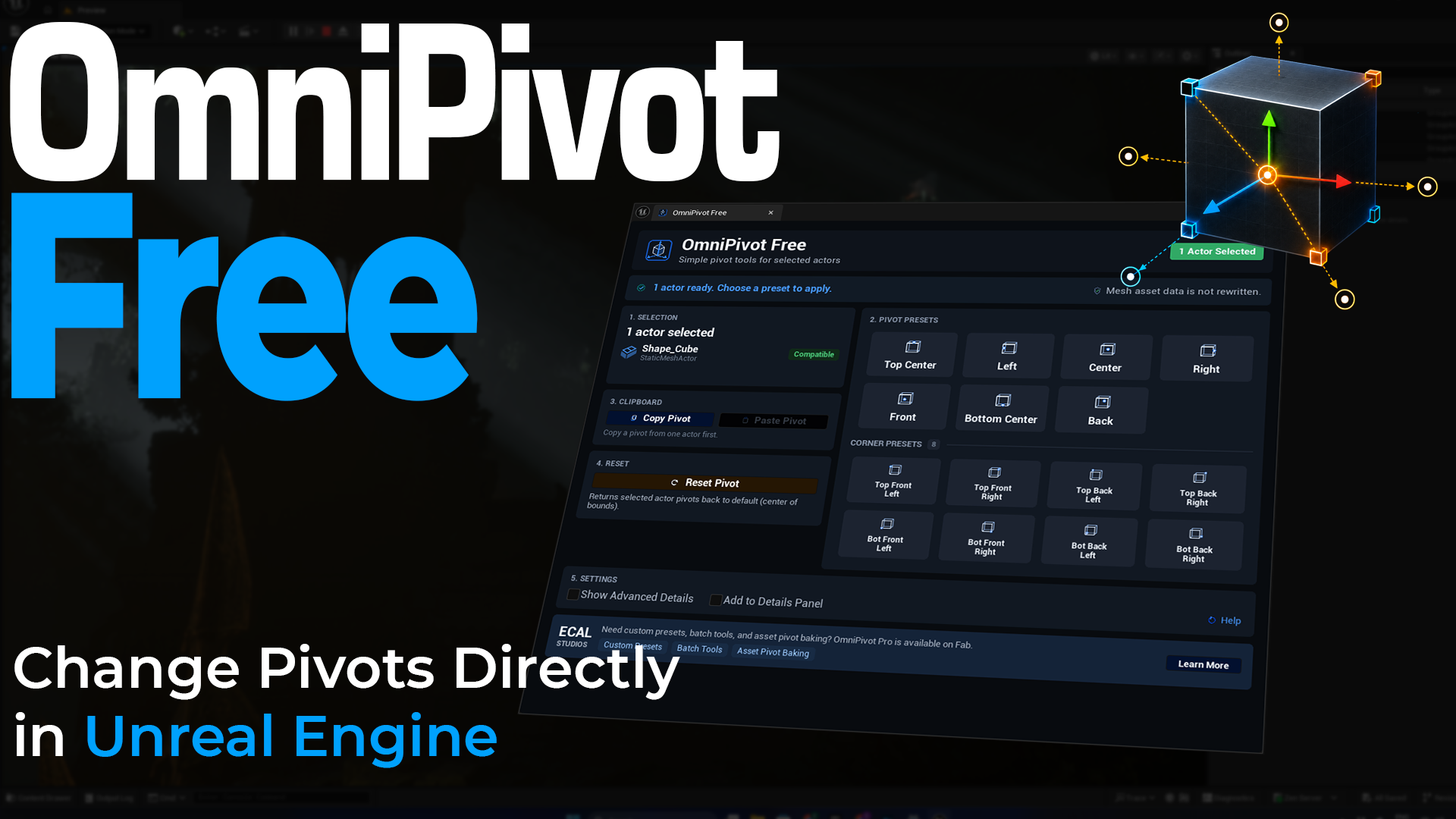
OmniPivot Free is a lightweight Unreal Engine editor plugin for quickly changing the pivot offset of selected placed actors.
It is built for practical level-editing moments where a mesh pivot is not where you need it. Instead of leaving Unreal Engine or doing a longer manual workflow, you select the actor and apply a clear pivot preset.
Highlights
- Free editor-only pivot tool for Unreal Engine.
- Opens from Tools → ECal Studios → OmniPivot Free.
- Works with selected compatible placed actors.
- Includes main pivot presets: Top Center, Left, Center, Right, Front, Bottom Center, and Back.
- Includes all 8 corner presets.
- Supports Copy Pivot and Paste Pivot.
- Includes Reset Pivot.
- Optional Show Advanced Details mode for more selection/operation feedback.
- Optional Add to Details Panel mode for compact Quick Pivot controls inside the Unreal Details Panel.
- Uses a non-destructive placed-actor workflow and does not rewrite mesh asset data.
Compatibility
| Item | Support |
|---|---|
| Unreal Engine | 5.5, 5.6, 5.7 |
| Platforms | Windows, macOS, Linux |
| Runtime impact | None. OmniPivot Free is editor-only. |
Installation
Fab / Epic Games Launcher installation
- Install OmniPivot Free to your engine or project.
- Open your Unreal Engine project.
- Enable the plugin if Unreal asks you to.
- Restart the editor if prompted.
- Open it from Tools → ECal Studios → OmniPivot Free.
Manual project installation
- Copy the
OmniPivotFreeplugin folder into your projectPluginsfolder. - Open the Unreal project.
- Let Unreal rebuild project modules if prompted.
- Confirm the plugin is enabled under Edit → Plugins.
- Restart Unreal Editor if needed.
Quick start
- Select a compatible placed actor in the level.
- Open Tools → ECal Studios → OmniPivot Free.
- Choose a main preset such as Center or Bottom Center.
- Use Corner Presets when you need a pivot on a bounds corner.
- Use Reset Pivot to return the selected actor pivot offset to the default state.
Main panel

The main panel shows your current selection, compatibility feedback, pivot presets, corner presets, copy/paste controls, reset, and plugin settings.
Details Panel addon

Enable Add to Details Panel when you want a compact Quick Pivot section inside the normal Unreal Details Panel. This is handy when you do not want to keep the full OmniPivot panel open all the time.
What OmniPivot Free does not do
OmniPivot Free does not permanently bake the pivot into the Static Mesh asset.
It changes the placed actor pivot offset in the editor. This makes it safe for quick level placement, but it is not an asset-authoring or mesh-baking tool.
Documentation
Support
Website: www.ecalstudios.com
Support: [email protected]
Advanced version
For custom presets, batch workflows, and asset-level pivot baking, see OmniPivot Pro on Fab.