Asset Shelf
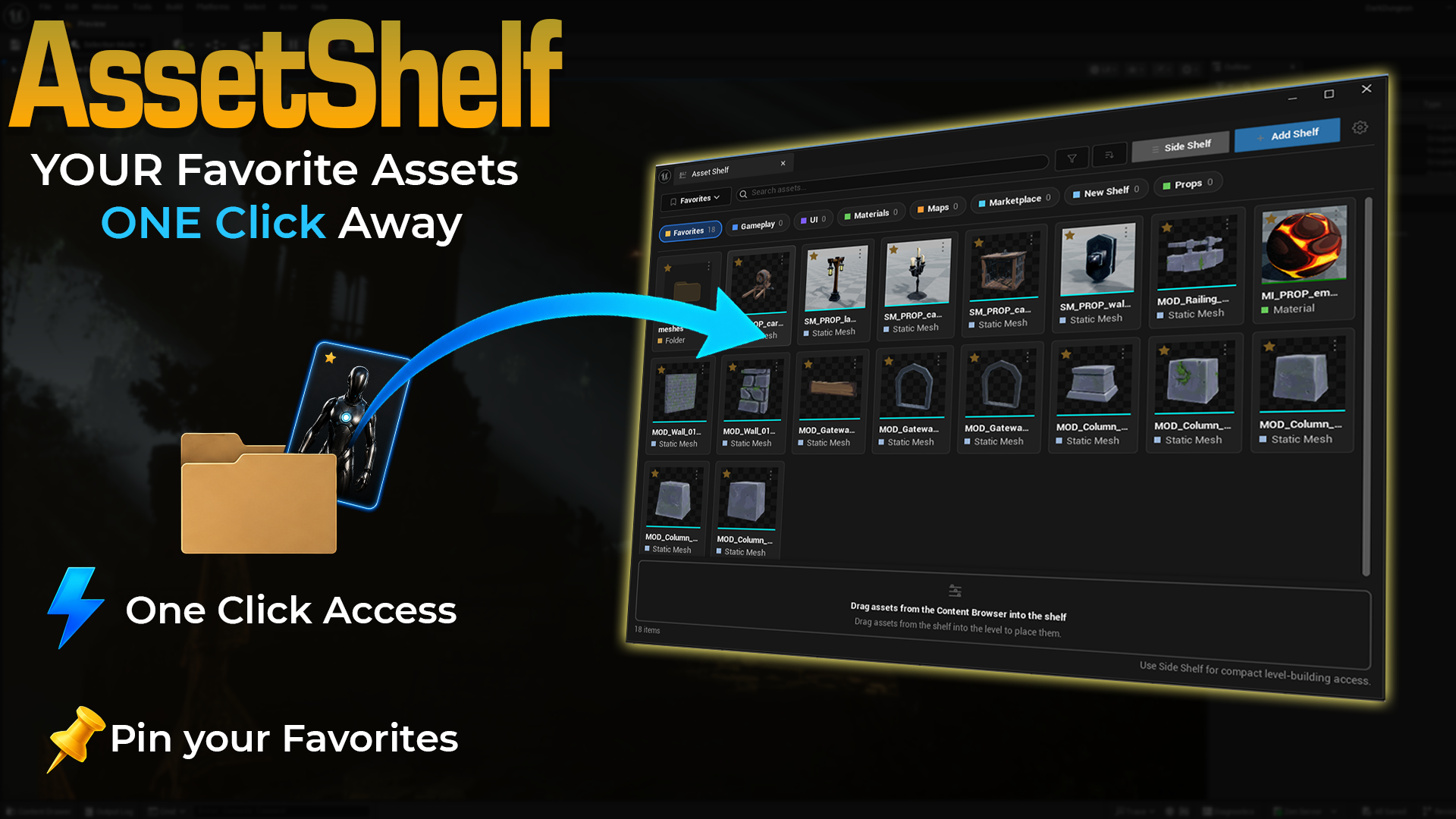
Asset Shelf is an editor-only Unreal Engine plugin that gives you a personal dockable shelf for the assets, folders, Blueprints, materials, maps, widgets, meshes, and level-building pieces you use all the time.
Instead of searching the Content Browser for the same assets again and again, you pin them once and keep them close. Asset Shelf is built for everyday editor work: blocking out levels, testing props, opening common Blueprints, jumping to folders, and keeping project-specific shortcuts in one clean workspace.
Available on Fab
Asset Shelf is available on Fab for Unreal Engine 5.5, 5.6, and 5.7. This documentation covers version 1.0.0.
What it helps with
- Pin frequently used assets, maps, materials, widgets, Blueprints, meshes, sounds, Niagara systems, textures, and folders.
- Organize pinned items into named shelves such as Favorites, Gameplay, UI, Materials, Maps, Marketplace, or your own custom shelves.
- Keep a full visual dashboard open while organizing assets.
- Use the compact Side Shelf next to the Details panel or viewport while building levels.
- Drag assets from the Content Browser or Content Drawer into a shelf.
- Drag supported pinned assets from Asset Shelf directly into the level viewport.
- Browse, open, copy paths, and remove shortcuts without touching the real project assets.
Key features
-
Visual asset dashboard
A dockable main window with large thumbnail cards, shelf chips, search, filters, sorting, and a clear drop zone.
-
Side Shelf panel
A compact dockable shelf for fast level-building workflows beside the viewport, Details panel, or Outliner.
-
Project shortcut shelves
Create shelves for different workflows and keep your most-used assets grouped by purpose.
-
Drag-and-drop workflow
Add assets from the Content Browser or Content Drawer, then drag supported pinned assets back into the level.
-
Search, filter, and sort
Quickly narrow pinned items by name, path, type, or sort mode without scanning the whole project.
-
Shortcut-only safety
Asset Shelf stores shortcuts only. Removing an item from the shelf does not delete or modify the real asset.
Main editor workflow
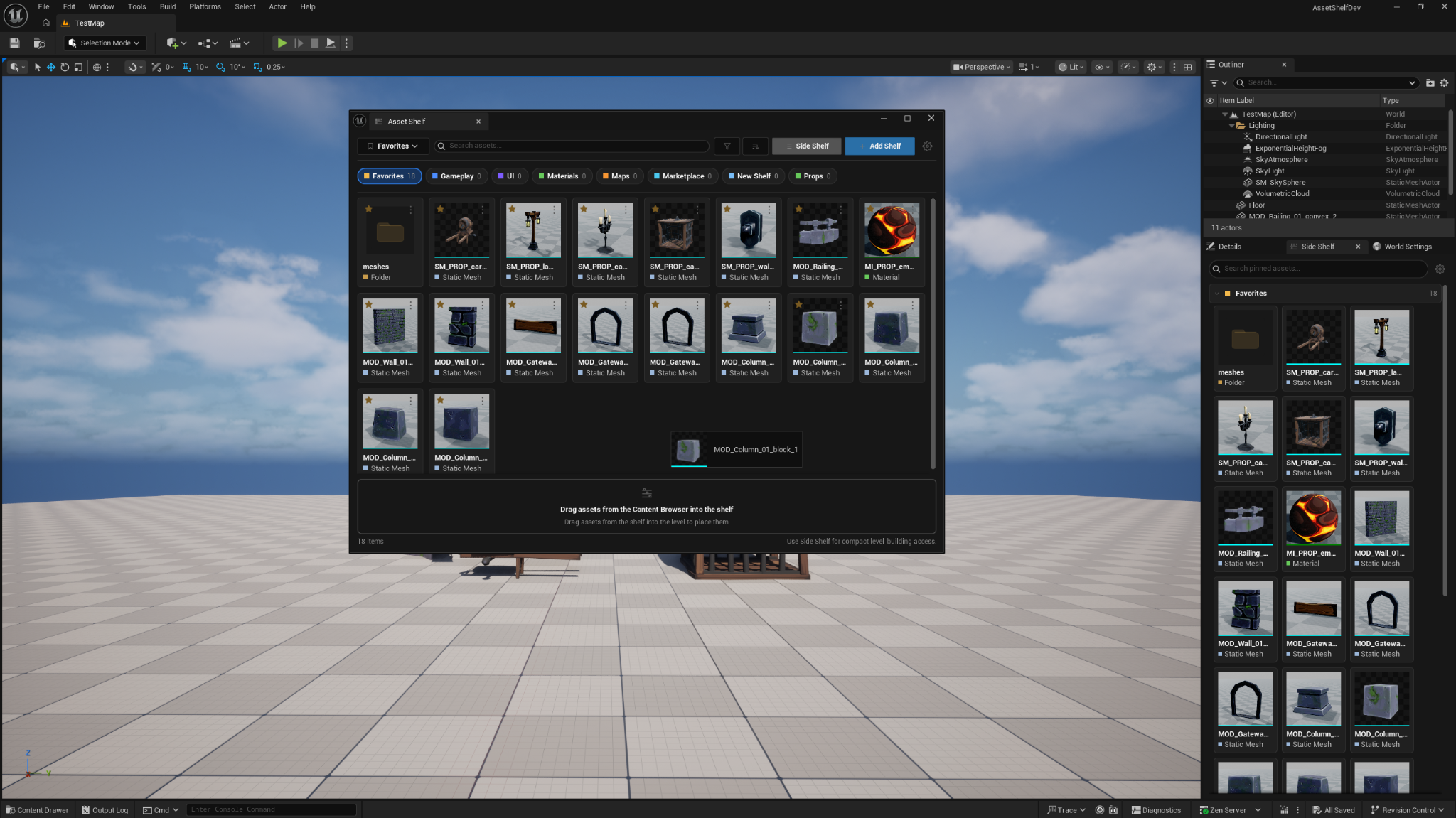
Open Asset Shelf from:
Tools → ECal Studios → Asset Shelf
The main window is best when you are organizing shelves, adding many assets, renaming shelves, changing settings, or working with a larger visual dashboard.
Main Asset Shelf window
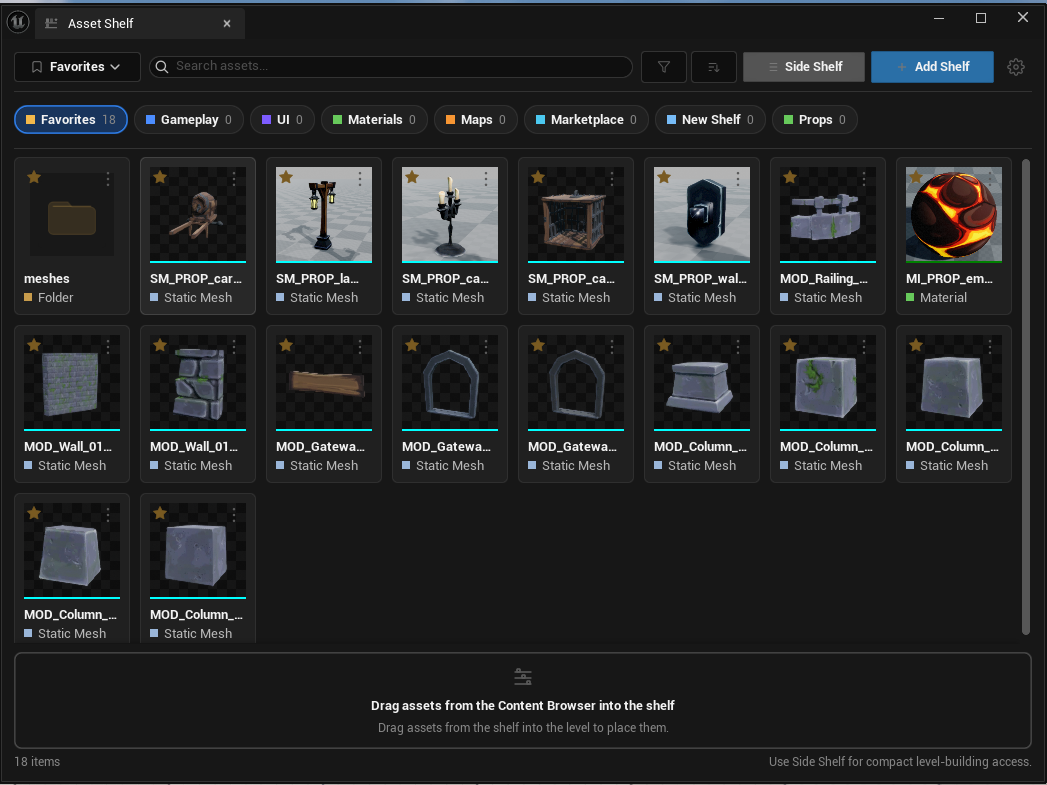
The main panel gives you the complete workflow in one place:
- Shelf dropdown and shelf chips.
- Search, filter, and sort controls.
- Large thumbnail cards with type labels.
- Add Shelf and Side Shelf buttons.
- A footer drop zone for dragging assets in from the Content Browser.
- Status text showing item counts and missing shortcuts when relevant.
Side Shelf workflow
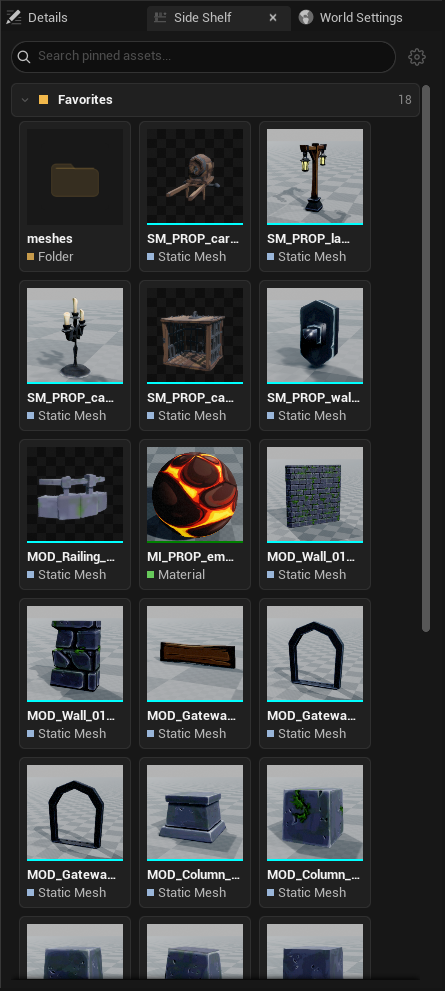
The Side Shelf is made for compact access while building. Dock it beside the viewport or Details panel, keep your favorite assets visible, and drag supported assets into the level without opening the Content Browser every time.
Settings
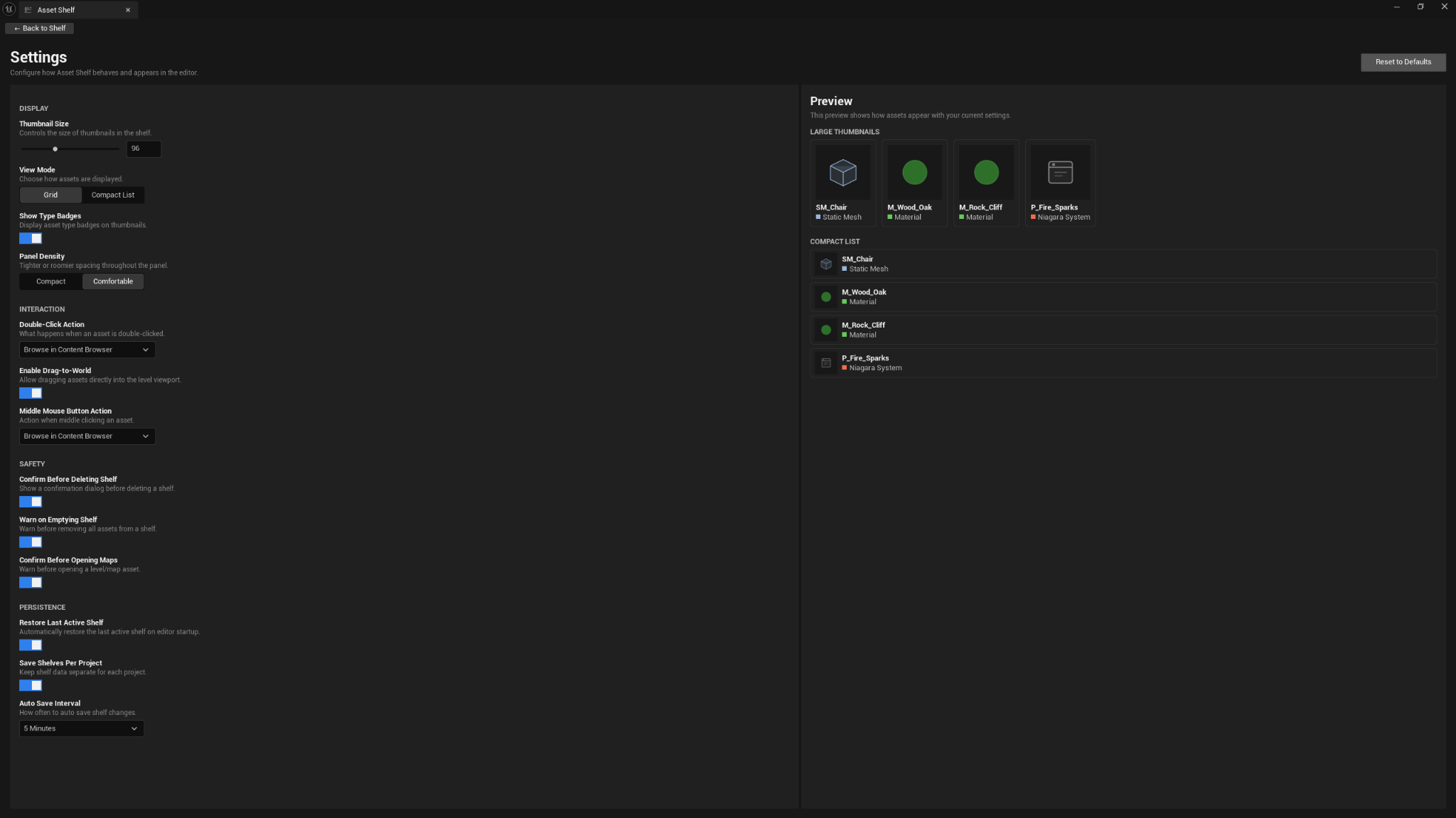
Asset Shelf includes practical settings for display, interaction, safety, and persistence. You can adjust thumbnail size, grid/list view, double-click behavior, drag-to-world support, confirmation prompts, restore behavior, and autosave interval.
Compatibility
| Item | Support |
|---|---|
| Unreal Engine | 5.5, 5.6, 5.7 |
| Platforms | Windows, macOS, Linux |
| Product type | Unreal Engine editor plugin |
| Runtime impact | None. Asset Shelf is editor-only and does not add gameplay systems. |
Known limitations
- Dragging into the level depends on what Unreal Engine can already place from the Content Browser. Asset Shelf uses Unreal's normal asset drag payload.
- Folders are shelf shortcuts for browsing. They are not placeable in the viewport.
- Missing shortcuts are shown when an asset was moved, renamed, or deleted outside Asset Shelf. Re-add the asset from its new location if needed.
- Side Shelf search only searches pinned items. It does not scan the whole project.
- After a successful drop, Asset Shelf reopens the Content Drawer on the next editor tick. This keeps repeated adding easier, but it can also open the drawer after dragging from a docked Content Browser.
Documentation pages
Support
For help, email [email protected] and include:
- Plugin name: Asset Shelf
- Plugin version: 1.0.0
- Unreal Engine version
- Operating system
- A short description of what happened
- Any useful Output Log lines, especially lines containing
AssetShelf