AssetCheck
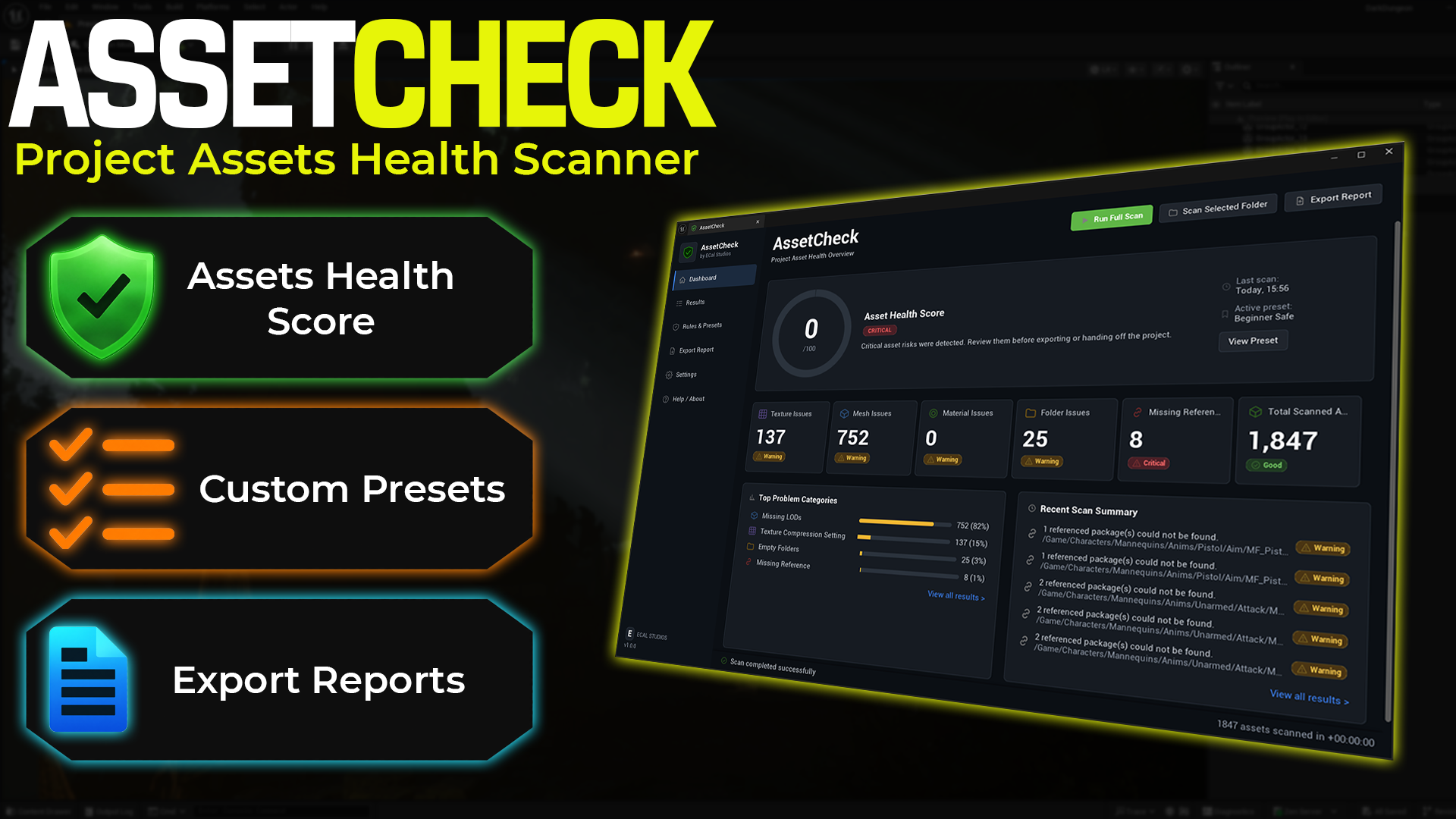
AssetCheck is an editor-only Unreal Engine plugin for scanning project assets, spotting common content-health risks, and exporting clean reports before packaging, marketplace submission, migration, or team handoff.
It focuses on the things that often become annoying late in production: oversized textures, missing LODs, too many material slots, empty folders, missing references, redirectors, and other project hygiene issues that are easy to miss when a project grows.
Available on Fab
AssetCheck is available on Fab for Unreal Engine 5.5, 5.6, and 5.7. This documentation covers version 1.0.0.
What AssetCheck helps with
-
Asset Health Score
Get a quick 0-100 overview of your project's asset health, with clear issue categories and score impact.
-
Texture checks
Review oversized textures, missing mip maps, non-power-of-two sizes, and default compression settings.
-
Mesh checks
Find static meshes with missing LODs, high triangle or vertex counts, too many material slots, or missing materials.
-
Folder and reference checks
Catch empty folders, assets outside recommended roots, redirectors, and missing package references.
-
Rules and presets
Start with built-in presets for beginner-safe projects, Fab preparation, packaging, migration, performance, or custom studio rules.
-
CSV and HTML reports
Export readable reports for your own cleanup pass, teammate review, client delivery, or marketplace preparation notes.
Dashboard overview
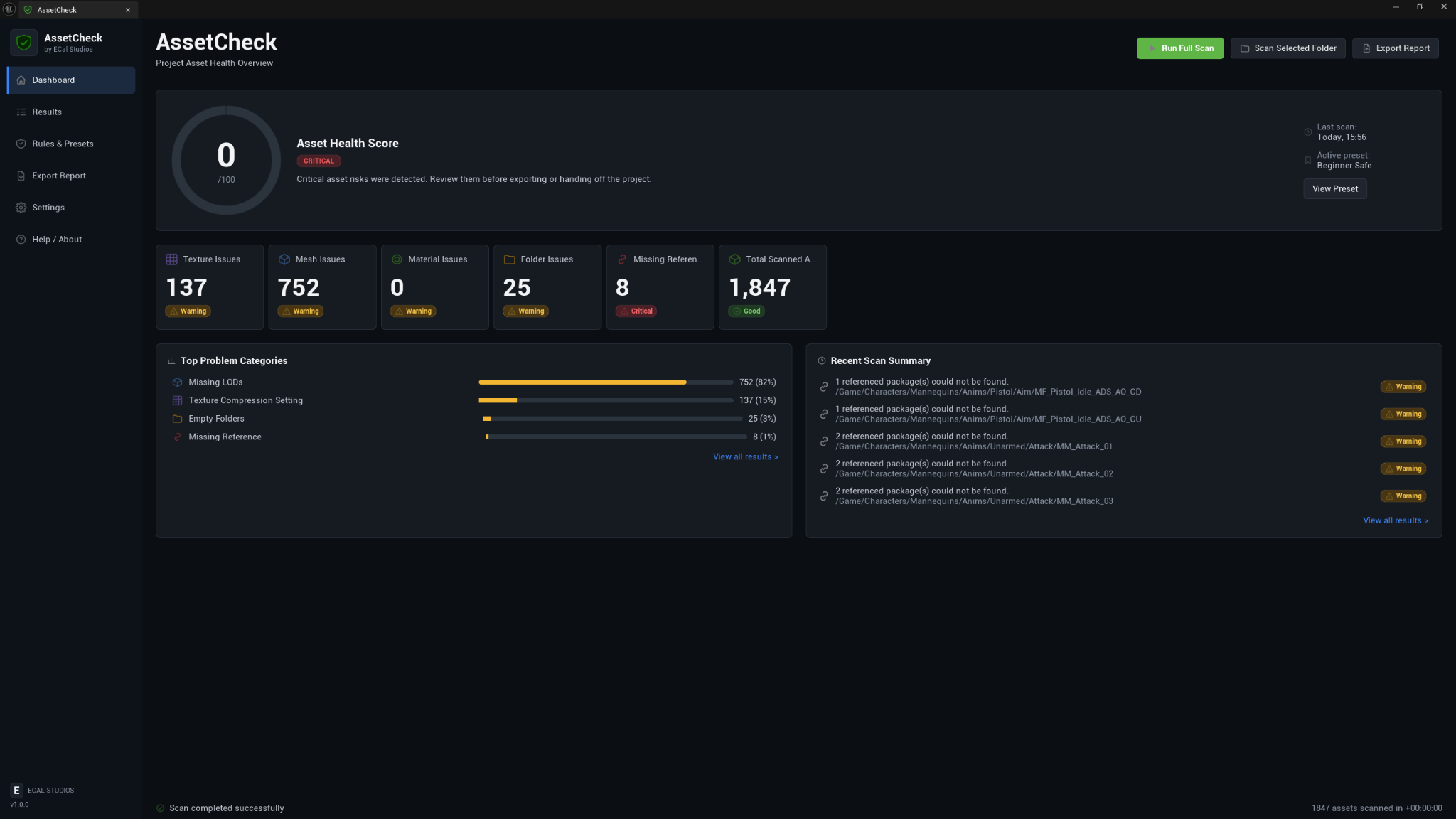
The Dashboard is designed to answer the important question quickly: is this project clean enough to package, share, migrate, or submit?
You can run a full project scan, scan a selected folder, review the health score, see top problem categories, and jump into the detailed results when something needs attention.
Results review
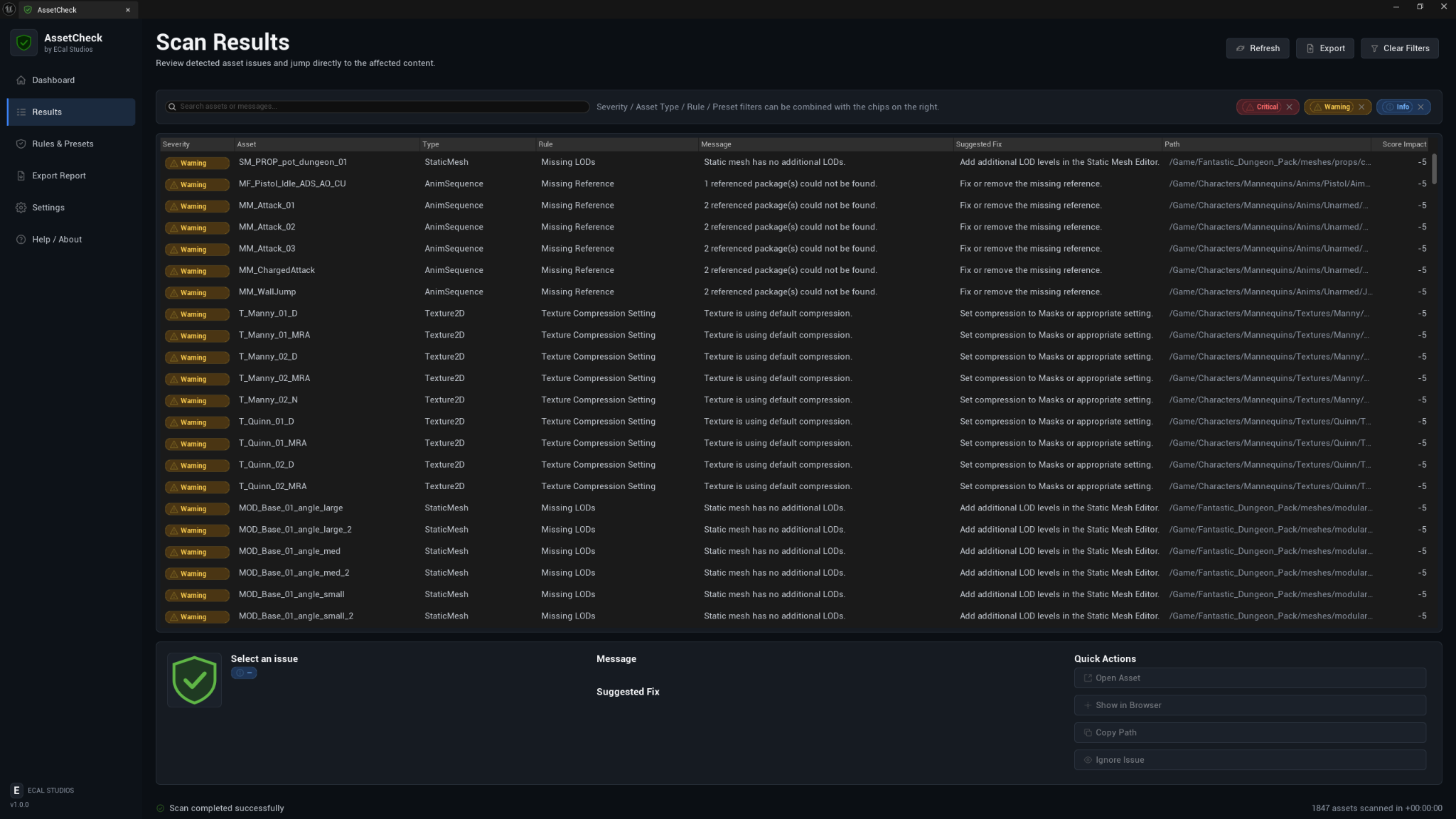
The Results page gives you a searchable, filterable table of every finding from the last scan. Each row explains what was found, where it was found, how serious it is, and what you can do next.
Useful actions include:
- Open the affected asset.
- Show it in the Content Browser.
- Copy the package path.
- Ignore a known issue without changing the real asset.
Rules and presets
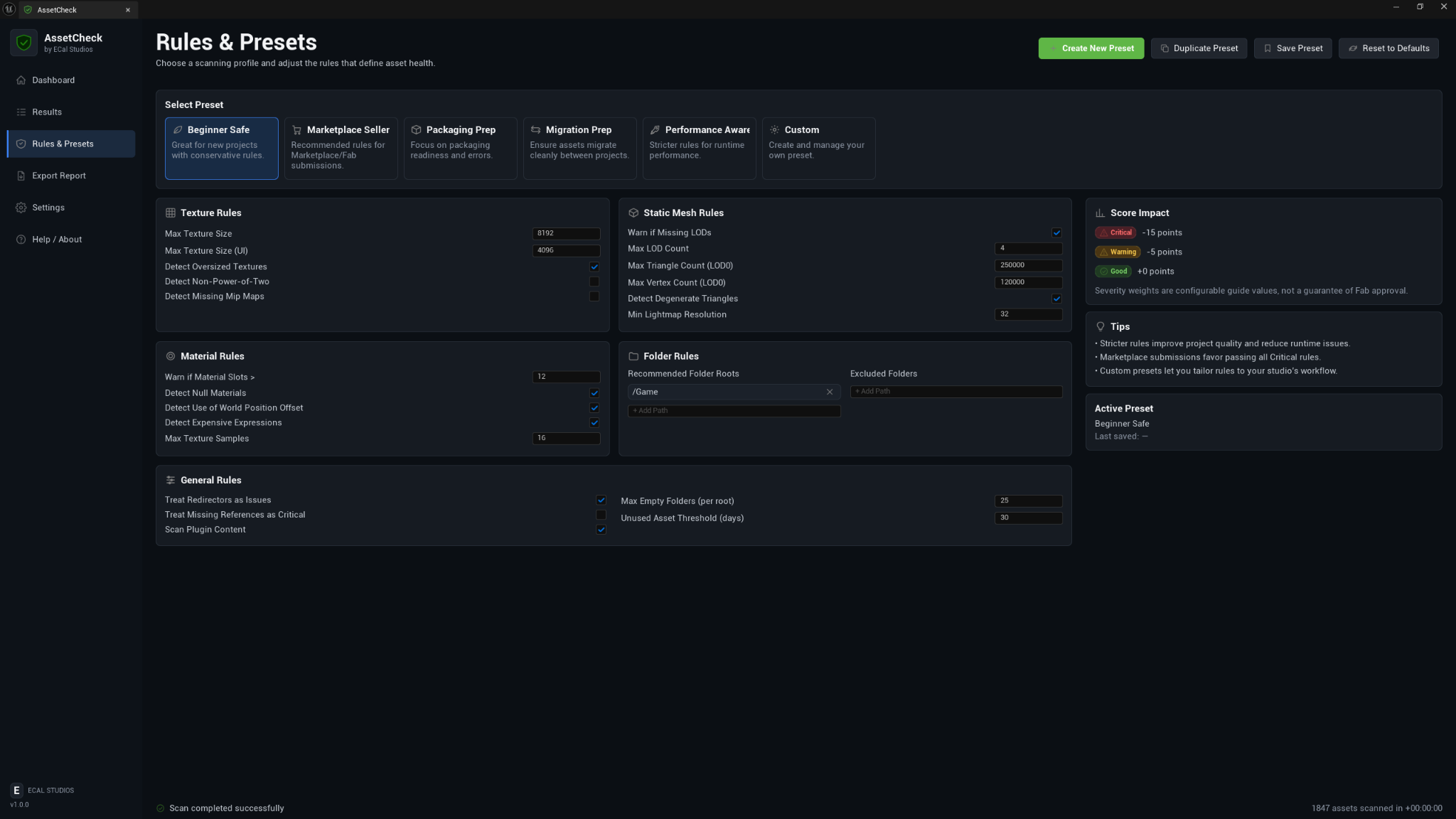
AssetCheck includes practical starting presets so you do not need to tune every rule by hand on day one.
| Preset | Best for |
|---|---|
| Beginner Safe | New projects and conservative scanning. |
| Marketplace Seller | Asset-pack and Fab-style submission preparation. |
| Packaging Prep | Finding issues that can become packaging or handoff problems. |
| Migration Prep | Checking whether assets are organized enough to move between projects. |
| Performance Aware | Stricter content limits for projects that care about runtime cost. |
| Custom | Your own thresholds, folders, and rule choices. |
Export reports
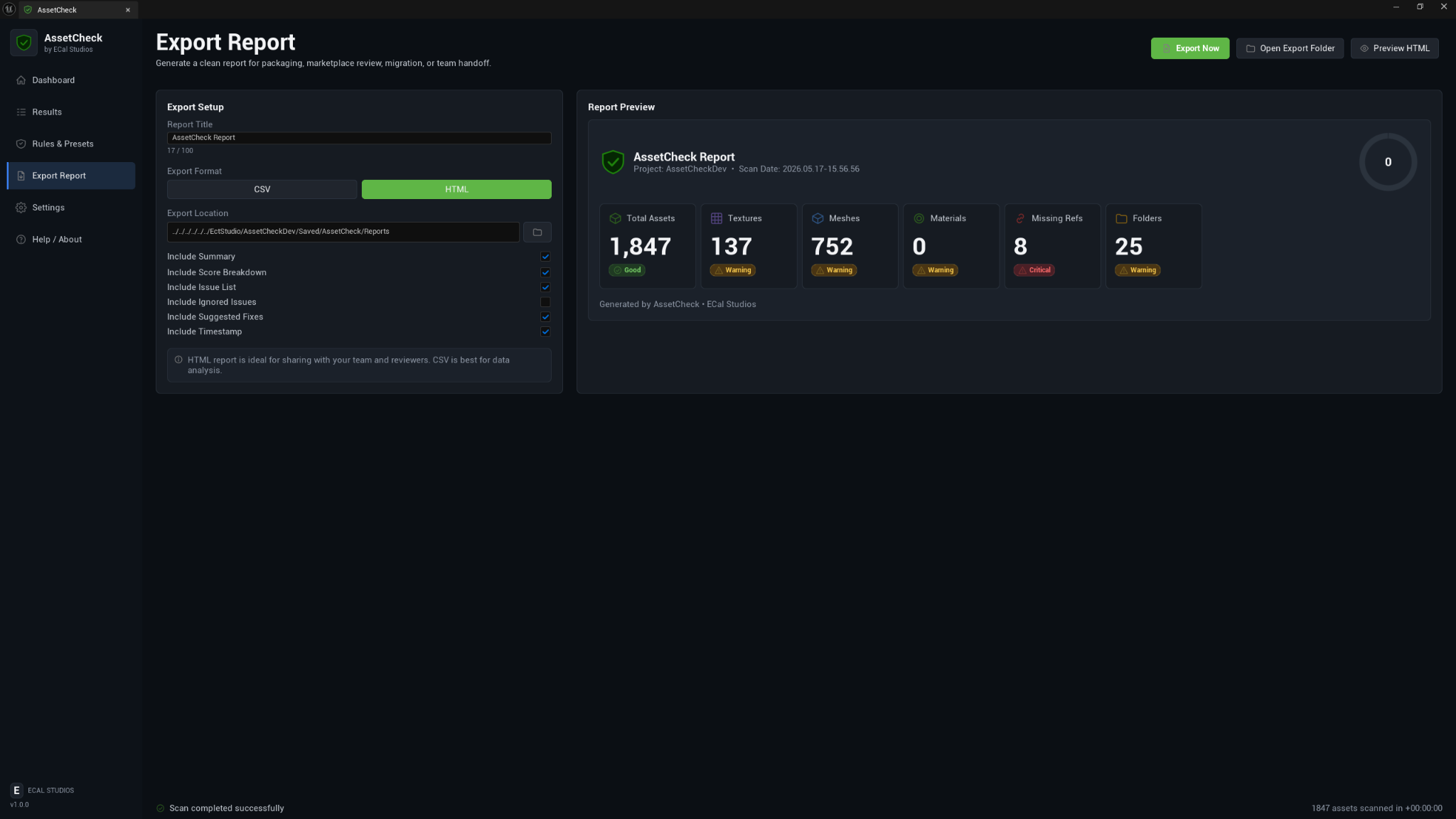
Reports can be exported as HTML for human review or CSV for spreadsheets and tracking. This is useful when you want to make a cleanup checklist, send findings to another developer, or keep a record of what changed between scans.
Settings
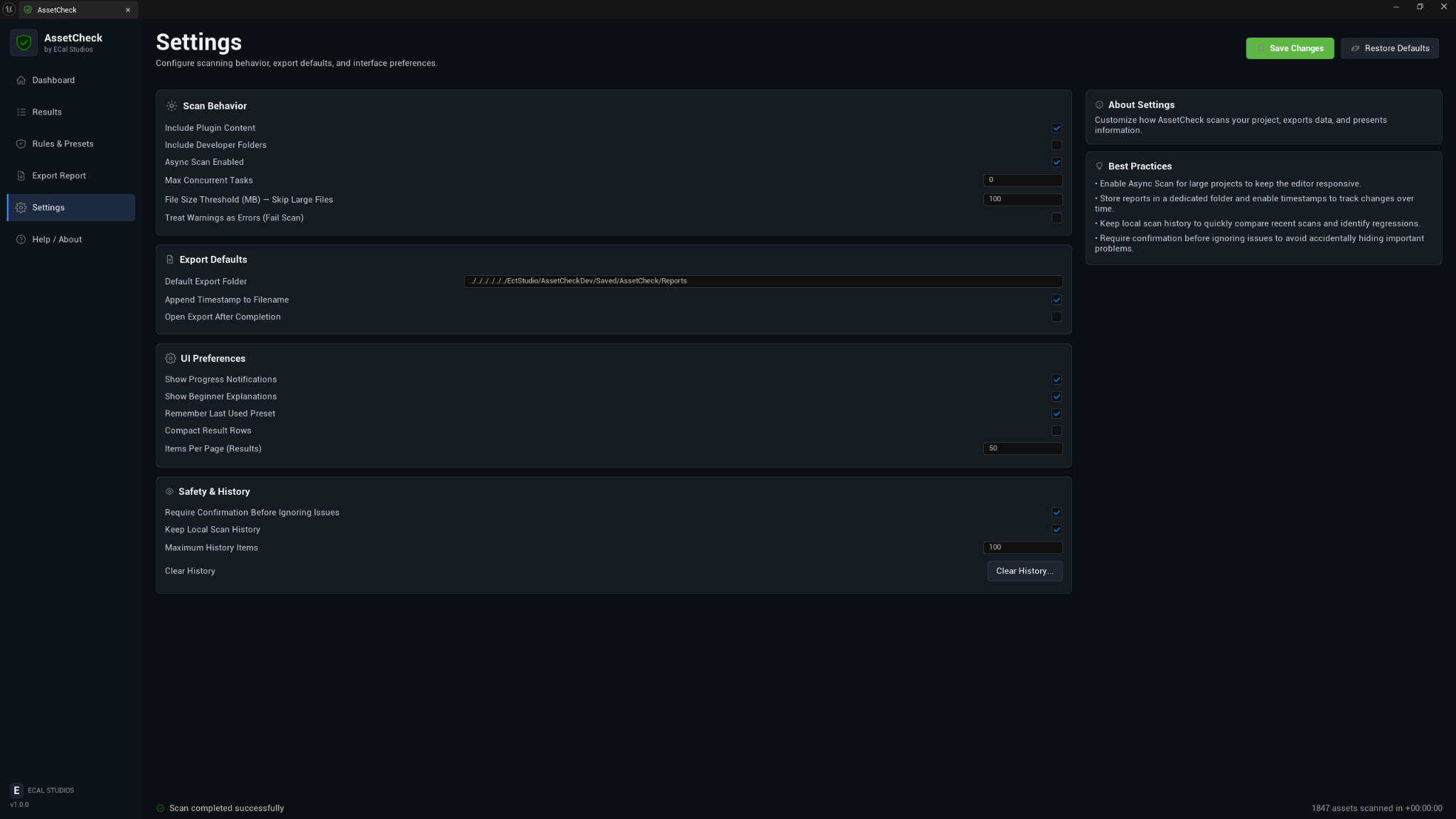
The Settings page covers scan behavior, export defaults, UI preferences, and safety options. AssetCheck is intentionally read-only, but settings like confirmation before ignoring issues help keep review work clear and deliberate.
Main workflow
- Open Tools → ECal Studios → AssetCheck.
- Choose the preset that fits your current goal.
- Click Run Full Scan, or scan a selected Content Browser folder.
- Review the Dashboard score and category cards.
- Open Results to inspect individual issues.
- Use Quick Actions to open, reveal, copy, or ignore findings.
- Export an HTML or CSV report when you need a handoff file.
Compatibility
| Item | Support |
|---|---|
| Unreal Engine | 5.5, 5.6, 5.7 |
| Platforms | Windows, macOS, Linux |
| Product type | Unreal Engine editor plugin |
| Runtime impact | None. AssetCheck is editor-only and does not add gameplay systems. |
| Version | 1.0.0 |
Fab listing
AssetCheck is available on Fab: Open AssetCheck on Fab.
Safety and privacy
AssetCheck is built as a review tool, not an auto-fixer.
- It does not delete, move, rename, reimport, or modify assets.
- It does not upload project data.
- It does not require login, accounts, API keys, or online services.
- It does not add runtime systems to packaged builds.
Important
The Asset Health Score is a helpful quality guide, not a guarantee of Fab approval, marketplace approval, performance, or project correctness. Always review the findings and test your project normally.
Known limitations
- AssetCheck does not auto-fix assets in version 1.0.0.
- Some checks depend on the Unreal Asset Registry and available asset metadata.
- Deep material graph analysis, degenerate triangle detection, and lightmap resolution checks are not part of the 1.0.0 scan set and should still be reviewed manually when they matter for your project.
- Custom runtime-only reference systems may not appear as standard Unreal package references.
Documentation pages
Support
For help, email [email protected] and include:
- Plugin name: AssetCheck
- Plugin version: 1.0.0
- Unreal Engine version
- Operating system
- What you were scanning when the issue happened
- Any useful Output Log lines, especially lines containing
LogAssetCheck