LogCheck
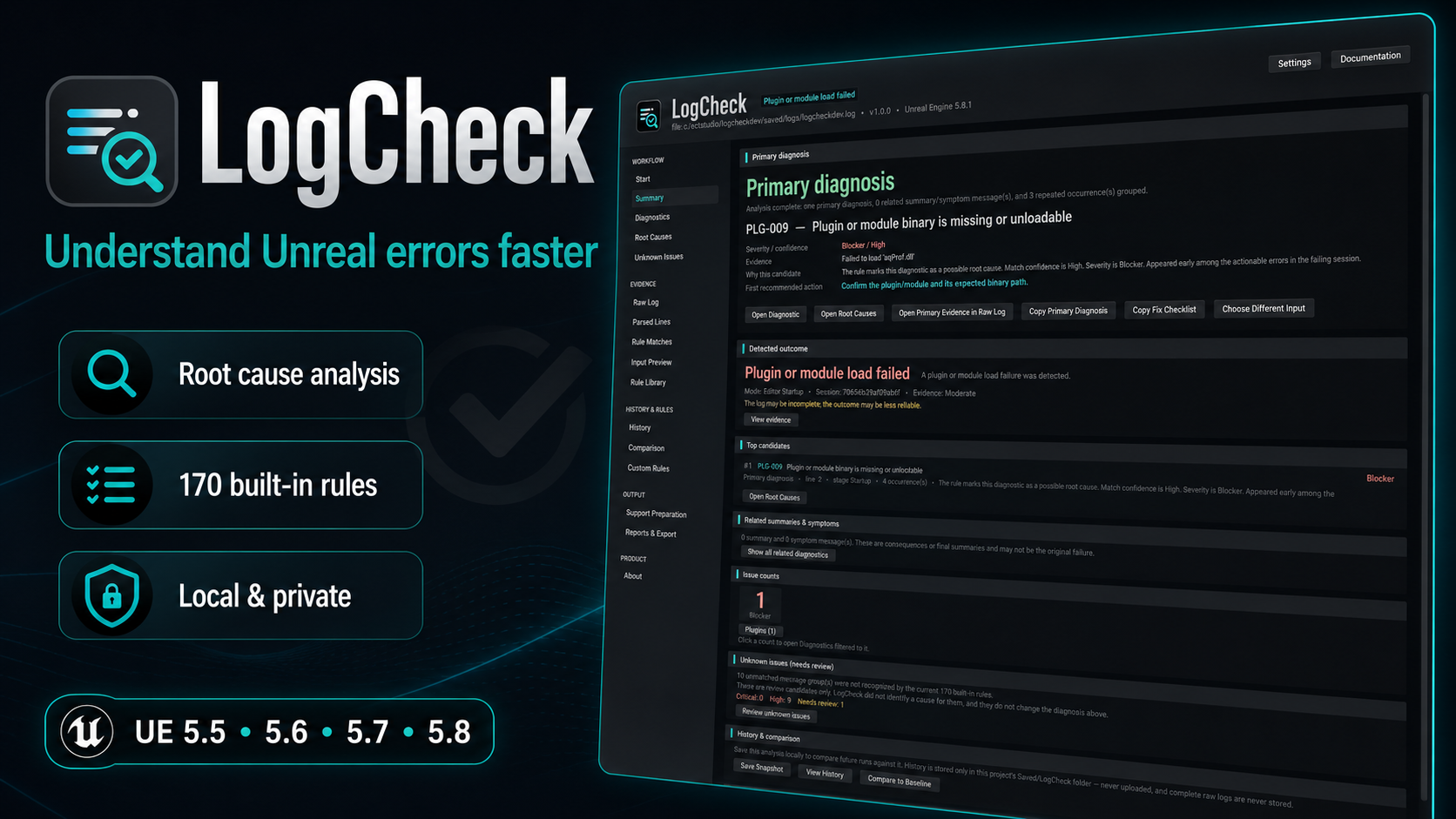
LogCheck is a local, editor-only diagnostic workbench for Unreal Engine. It reads output, editor, build, cook, and packaging logs, then turns thousands of noisy lines into a shorter, reviewable result: what failed, the most likely cause, the evidence behind it, and what to check next.
Everything runs on your machine. LogCheck does not upload logs, send telemetry, modify project assets, or apply fixes automatically.
Version covered by this documentation
This documentation covers LogCheck 1.0.0 for Unreal Engine 5.5, 5.6, 5.7, and 5.8. Final editor validation was performed with Unreal Engine 5.8.1. LogCheck is an editor-only C++ plugin.
What LogCheck helps with
-
Fast log analysis
Paste text, load one or more files, open recent Unreal logs, or use the built-in sample without manually searching through thousands of lines.
-
Explainable root-cause ranking
Review one Primary Diagnosis, ranked alternatives, score factors, causal chains, and direct links back to the evidence.
-
170 built-in rules
Cover common packaging, cook, AutomationTool, C++, linker, UBT, UHT, Blueprint, plugin, asset, shader, crash, and environment failures.
-
Unknown Issues review
Surface significant messages that no enabled rule recognised, then classify, bookmark, or use them as the starting point for a custom rule.
-
History and comparison
Save local snapshots, set baselines, and compare analyses to see what is new, resolved, persisting, changed, or no longer evaluated.
-
Local and private
Keep analysis, history, reports, support packages, privacy review, and deterministic redaction on your own machine.
From a large log to a practical next step

A typical Unreal failure includes the original error, repeated copies, wrapper messages, and final summary lines from several tools. LogCheck structures that evidence before it tries to explain it.
The analysis flow is deterministic and local:
Choose input
  → Parse and structure
  → Match built-in and enabled custom rules
  → Group repeated evidence
  → Rank likely causes
  → Surface unmatched significant messages
  → Review evidence
  → Save, compare, or export
The result is designed to be useful without hiding uncertainty. A Primary Diagnosis is the best-supported eligible explanation LogCheck found; it is not a guarantee. Ranking scores are internal ordering signals, not probabilities.
Diagnostics workspace
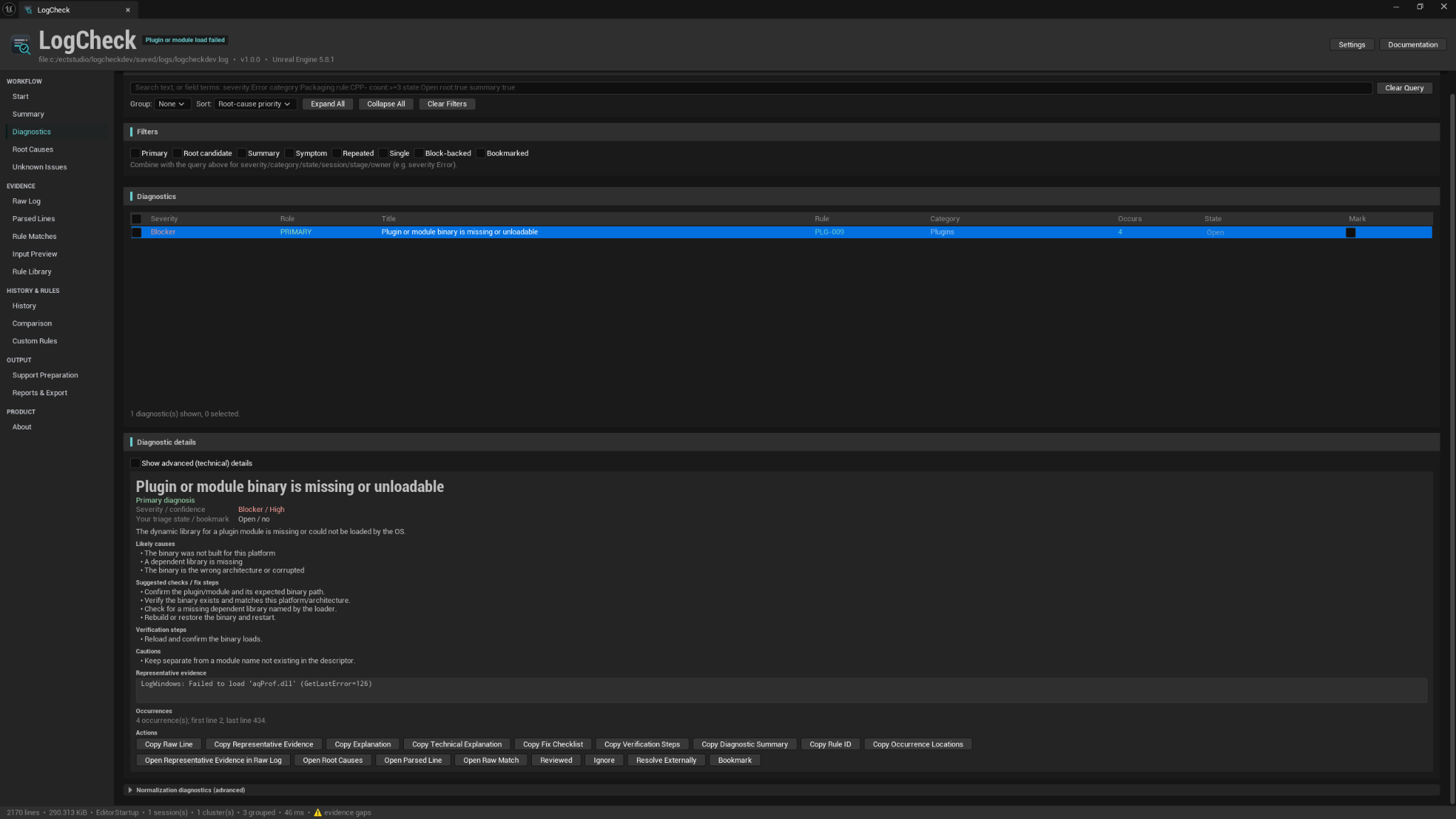
The Diagnostics page brings recognised issues into one searchable workspace. You can group and sort results, filter by role or state, inspect beginner-friendly guidance, reveal advanced technical details, and jump directly to the relevant Raw Log, Parsed Lines, or Rule Matches evidence.
Repeated occurrences are grouped so the same underlying problem does not fill the result list. Each diagnostic keeps the original rule, representative evidence, occurrence locations, likely causes, suggested checks, and verification steps visible.
Root-cause workflow
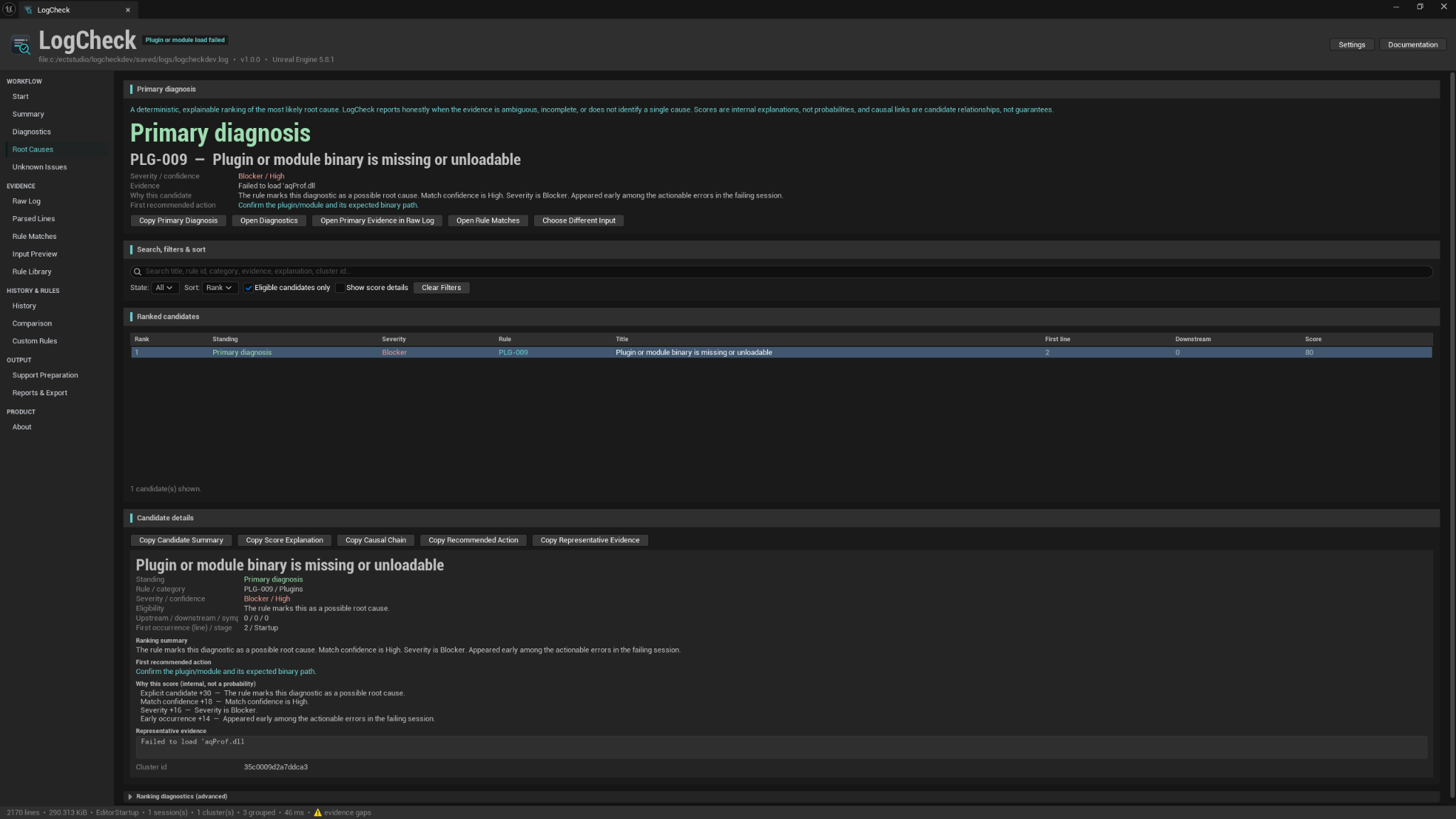
LogCheck separates likely original causes from downstream symptoms and final summary messages. The Root Causes page shows:
- The selected Primary Diagnosis.
- Other eligible candidates in ranked order.
- The evidence and first occurrence behind each candidate.
- A readable explanation of the factors that affected the ranking.
- Candidate causal relationships between an earlier failure and later symptoms.
Causal links are useful review aids, not guarantees. The original evidence always remains available so you can verify the conclusion yourself.
Built-in coverage
LogCheck includes 170 built-in production rules across 17 built-in packs. Custom rules are counted separately and are never presented as built-in coverage.
| Area | Examples of covered failures |
|---|---|
| Packaging and Cook | Packaging failures, cook errors, staging problems, and AutomationTool exit codes |
| Containers and Platforms | IoStore/container errors, deployment failures, platform SDKs, and toolchain setup |
| C++ toolchain | MSVC and Clang compiler errors, linker failures, UnrealBuildTool, and UnrealHeaderTool |
| Gameplay and Content | Blueprint compile problems, plugin/module loading, asset/package failures, and shader compilation |
| Runtime and Environment | Crashes, callstacks, derived-data problems, and environment issues |
Coverage is broad, but it is not exhaustive. Messages without an enabled matching rule remain visible under Unknown Issues instead of being silently ignored.
Evidence, custom rules, and reports
LogCheck keeps every conclusion connected to the source material:
- Raw Log provides a virtualized viewer for large files.
- Parsed Lines shows how each line was structurally interpreted.
- Rule Matches shows every recognised occurrence before grouping.
- Input Preview confirms source metadata, encoding, sessions, and detected mode.
- Custom Rules supports safe, declarative, data-only rule packs with validation and fixtures.
- Support Preparation helps assemble a useful support request without uploading anything.
- Reports & Export writes Markdown, HTML, JSON, CSV, PDF, and support-package ZIP files locally.
Who LogCheck is for
LogCheck is useful for:
- Beginners who need a clearer explanation of Unreal errors.
- Blueprint developers dealing with compile, cook, or packaging failures.
- C++ developers reviewing compiler, linker, UBT, and UHT output.
- Plugin authors investigating module loading and dependency problems.
- Solo developers and small teams without a dedicated build engineer.
- Anyone preparing a clean, privacy-reviewed report for a teammate or support request.
Main workflow
- Open Tools → ECal Studios → LogCheck.
- Choose a source on the Start page.
- Leave Analysis Mode on Auto Detect unless you know the log type needs an override.
- Select Analyze Log.
- Read the detected outcome and Primary Diagnosis on Summary.
- Open Diagnostics, Root Causes, or the Primary Evidence in Raw Log.
- Review any important Unknown Issues.
- Save a local snapshot, compare against a baseline, or export a privacy-reviewed report when useful.
For a quick tour, use Load Synthetic Sample on the Start page.
Compatibility and product details
| Item | Details |
|---|---|
| Plugin | LogCheck – Unreal Output Log & Packaging Error Explainer |
| Version | 1.0.0 |
| Developer | ECal Studios |
| Unreal Engine | 5.5, 5.6, 5.7, 5.8 |
| Final validation environment | Unreal Engine 5.8.1 |
| Type | Editor-only C++ plugin |
| Validated editor platform | Windows desktop editor |
| Packaged-game impact | None; LogCheck is not intended for packaged or shipping runtime builds |
| Network requirement | None |
Privacy and limitations
- Log sources are read-only.
- No network access, telemetry, accounts, uploads, or cloud AI are used.
- History is local, project-scoped, optional, and off by default.
- Reports and support packages are written only to the location you choose.
- Redaction is an advisory aid and does not guarantee anonymization.
- Diagnoses are advisory and should be verified against the linked evidence.
- LogCheck does not modify code, Blueprints, assets, plugins, or configuration files.
Documentation pages
Support
For help, email [email protected] and include the LogCheck version, Unreal Engine version, Analysis Mode, reproduction steps, and a privacy-reviewed report or support package when it is useful.
Avoid sending complete private logs by default. Review exported content before sharing it.
Copyright © ECal Studios 2026. All rights reserved.