NamingCheck
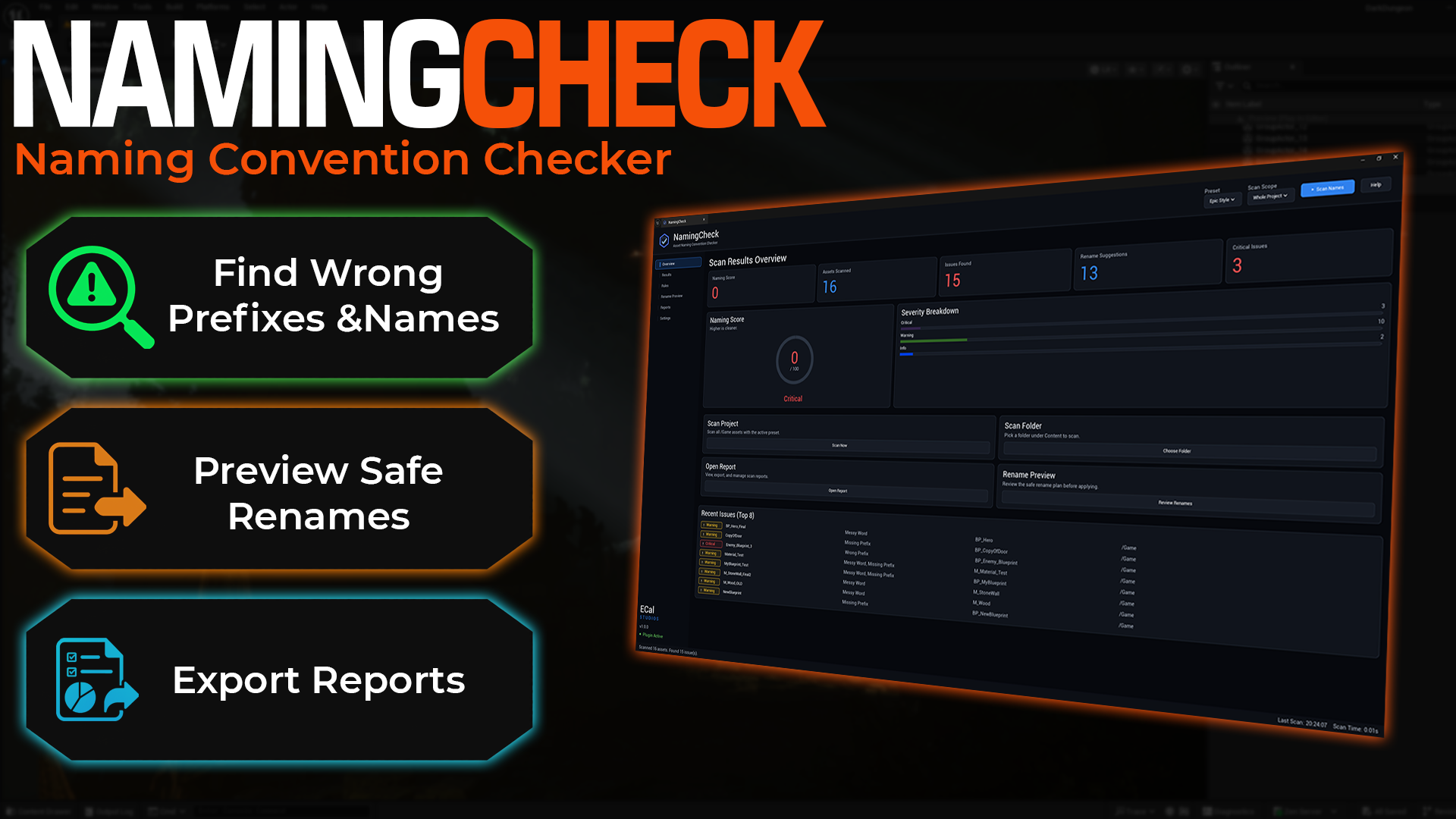
NamingCheck is an editor-only Unreal Engine plugin for checking asset names against clear naming rules, finding messy prefixes, and preparing safe rename suggestions before a project becomes difficult to maintain.
It is made for everyday Unreal projects where names slowly drift into things like NewMaterial, BP_Player_Final, Enemy_Blueprint_3, or T-Bad-Texture. NamingCheck gives you a focused place to scan, review, fix, and export naming issues without manually hunting through the Content Browser.
Available on Fab
NamingCheck is available on Fab for Unreal Engine 5.5, 5.6, and 5.7. This documentation covers version 1.0.0.
What NamingCheck helps with
-
Naming score
Review a 0-100 score after each scan so you can quickly see whether your project names need attention.
-
Prefix and name checks
Find missing prefixes, wrong prefixes, invalid characters, messy placeholder words, long names, and classes with missing rules.
-
Searchable results
Sort, search, and filter issues by severity, issue type, asset class, and folder path.
-
Safe rename preview
Review suggested names, skip unsafe rows, and catch conflicts before applying any batch rename.
-
Editable rule profiles
Start with built-in presets, then adjust prefixes, allowed characters, ignored paths, and asset class rules for your project.
-
Markdown and CSV reports
Export scan summaries and issue tables for cleanup notes, team reviews, or marketplace preparation records.
Dashboard overview
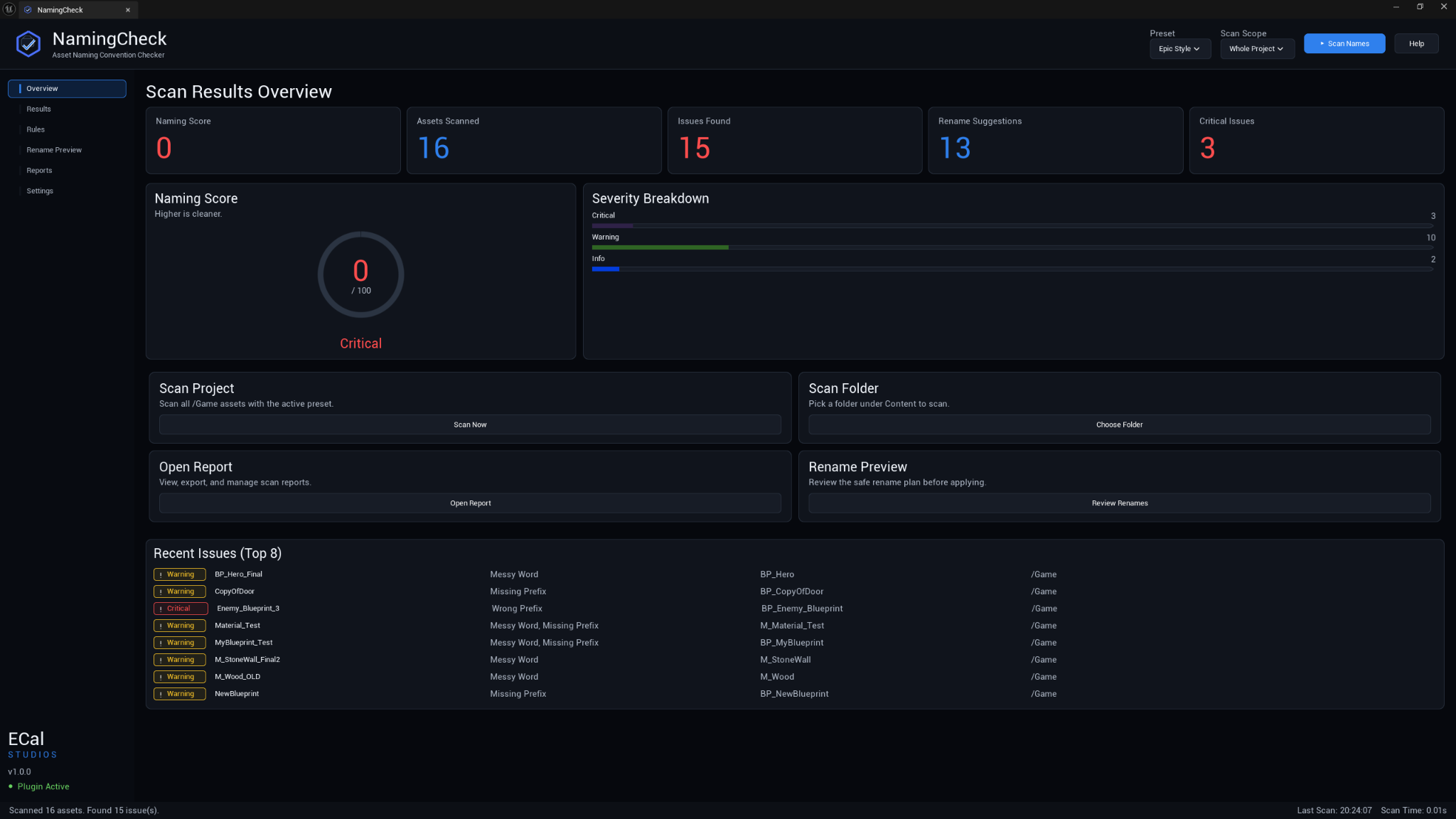
The Overview page gives you the current naming state at a glance: score, assets scanned, issues found, rename suggestions, critical issue count, severity breakdown, quick actions, and a short list of recent issues.
Use it when you want a fast answer to: how messy are the names in this project right now?
Results review
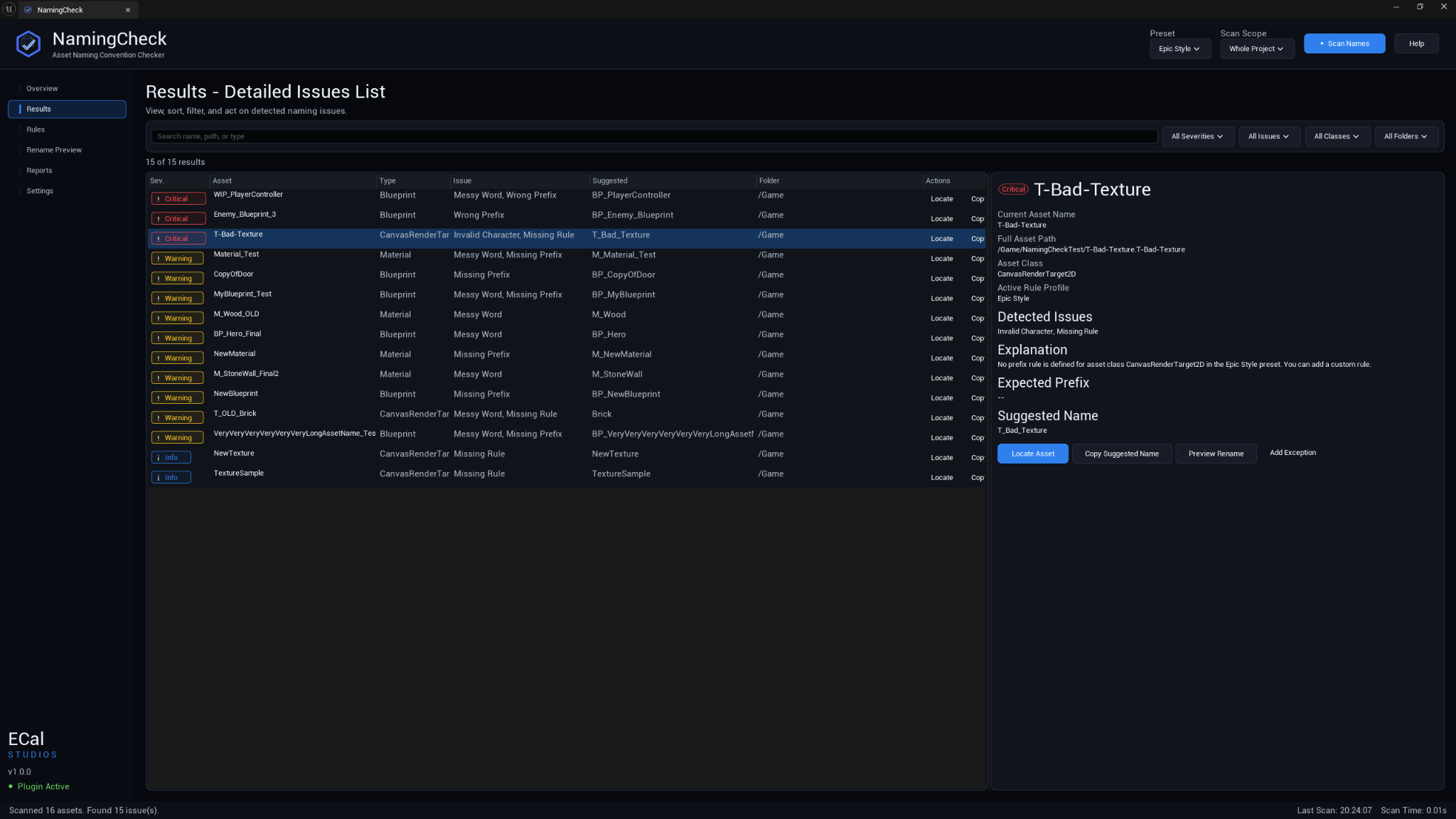
The Results page is where most review work happens. You can search for a specific asset, narrow the table to one severity or class, select a row, and read the issue details on the right.
Useful actions include:
- Locate the asset in the Content Browser.
- Copy the suggested name.
- Jump into the rename preview for safer batch changes.
- Add an exception when a rule does not match your real project workflow.
Rule profiles
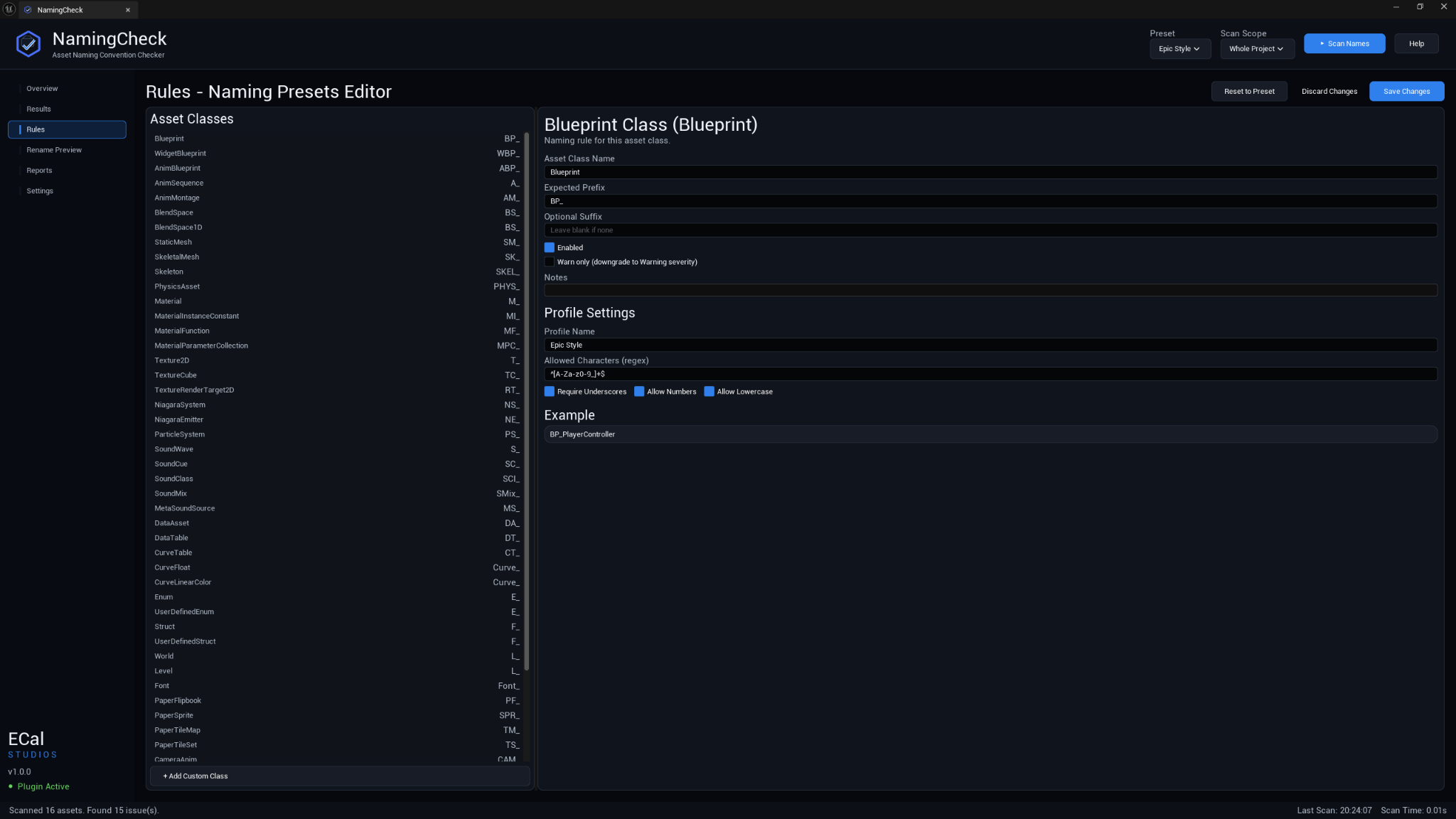
NamingCheck includes practical starting presets, but the rules are editable because every project is different.
| Preset | Best for |
|---|---|
| Epic Style | Projects that want common Unreal Engine prefix conventions. |
| Fab Seller | Marketplace-style cleanup and stricter naming review. |
| Solo Project Simple | Smaller projects that want useful checks without being too strict. |
You can edit class prefixes, optional suffixes, allowed characters, whether underscores are required, and whether lowercase characters or numbers are allowed.
Safe rename preview
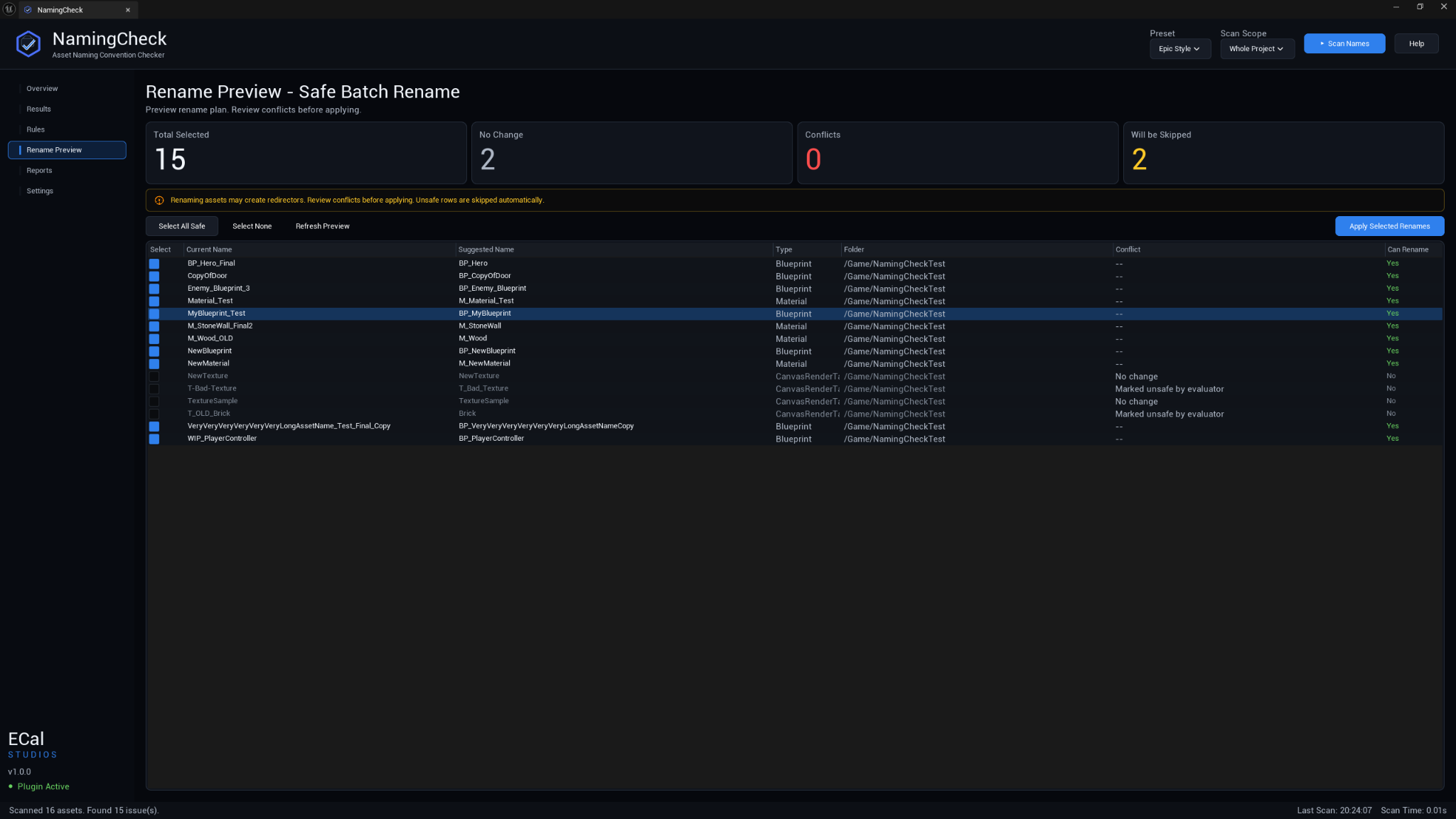
The Rename Preview page lets you review every suggested change before anything is applied. Unsafe rows are skipped automatically, and conflicts are called out so you can fix them manually.
Rename carefully
Batch renaming can affect references and source control workflows. NamingCheck uses Unreal's editor rename systems and a preview step, but you should still review the list and keep your project under source control before applying large rename batches.
Export reports
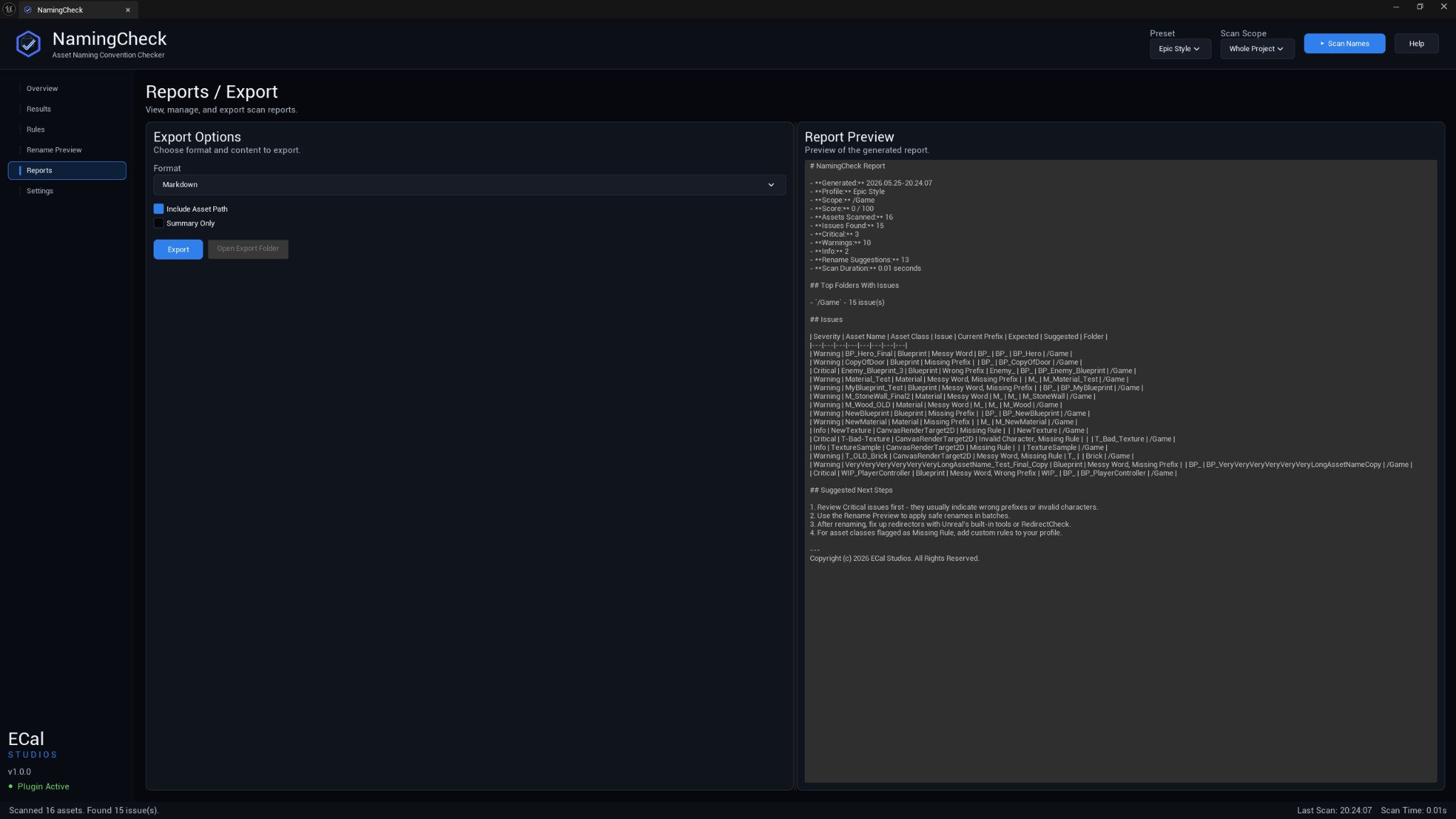
Reports can be exported as Markdown for readable review notes or CSV for spreadsheets and tracking. The report preview shows the generated content before export.
Settings
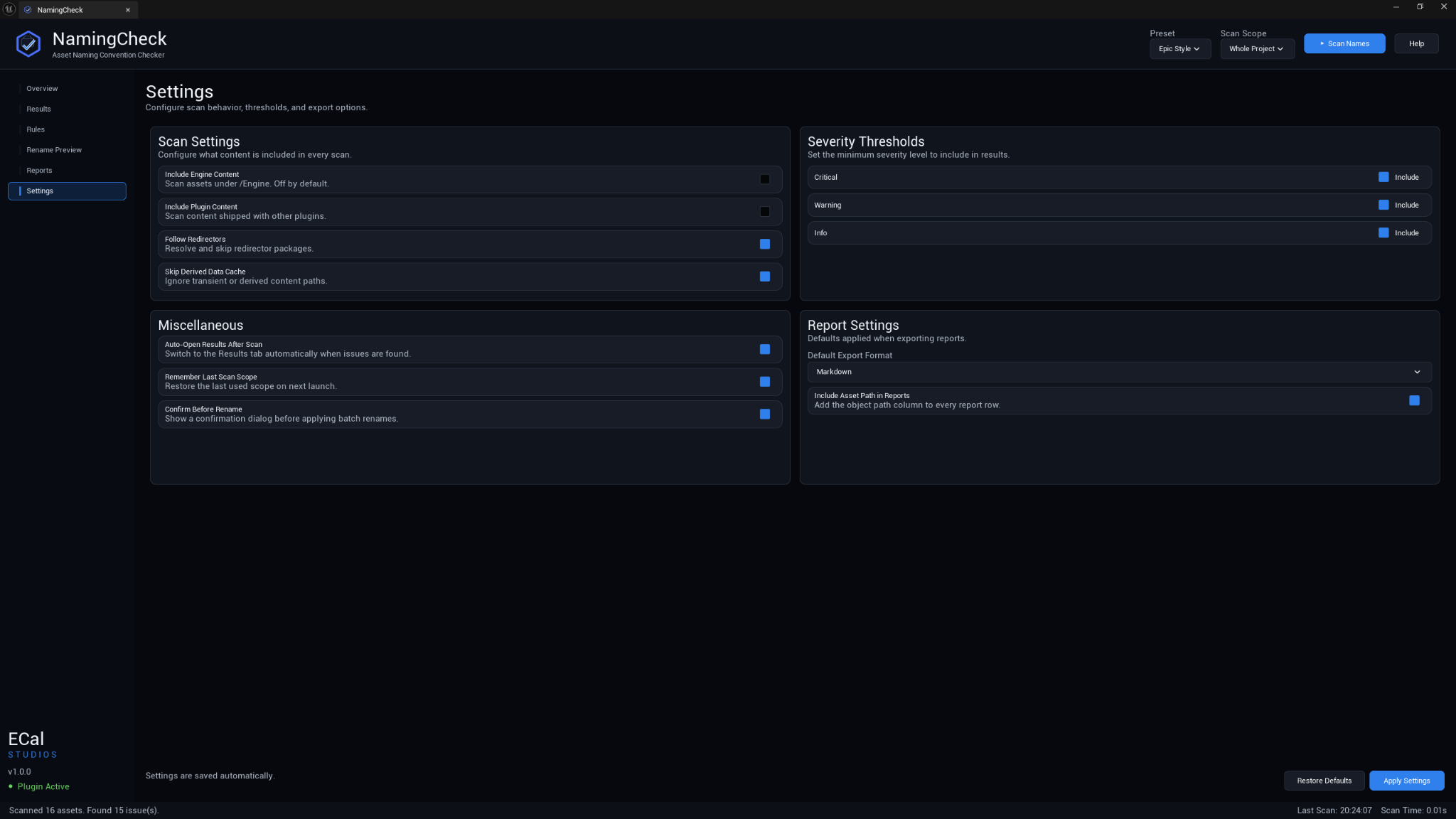
Settings cover scan behavior, severity inclusion, report defaults, and safety options such as confirmation before applying renames.
Main workflow
- Open Tools → ECal Studios → NamingCheck.
- Choose a preset at the top of the window.
- Choose whether to scan the whole project or a selected folder.
- Click Scan Names.
- Review the naming score and issue counts on the Overview page.
- Open Results to inspect individual findings.
- Adjust rules if your project uses a different naming convention.
- Open Rename Preview and select only the safe changes you want to apply.
- Export a Markdown or CSV report when you need a cleanup record.
Compatibility
| Item | Support |
|---|---|
| Unreal Engine | 5.5, 5.6, 5.7 |
| Platforms | Windows, macOS, Linux |
| Product type | Unreal Engine editor plugin |
| Runtime impact | None. NamingCheck is editor-only and does not add gameplay systems. |
| Version | 1.0.0 |
Fab listing
NamingCheck is available on Fab: Open NamingCheck on Fab.
Safety and privacy
- NamingCheck does not upload project data.
- It does not require accounts, API keys, or online services.
- It does not add runtime code to packaged builds.
- Rename actions are previewed before they are applied.
- Reports are saved locally on your machine.
Known limitations
- Naming rules are only as useful as the active profile. If your project uses custom prefixes, update the Rules page before treating findings as real problems.
- Rename suggestions are intentionally conservative. Some names may need manual editing.
- NamingCheck does not guarantee Fab approval. It helps with project hygiene and review preparation, but marketplace review can include many other requirements.
- Custom asset classes may need custom rules before they can be judged accurately.
Documentation pages
Support
For help, email [email protected] and include:
- Plugin name: NamingCheck
- Plugin version: 1.0.0
- Unreal Engine version
- Operating system
- What you scanned when the issue happened
- Screenshots if the issue is visual
- Any useful Output Log lines containing
LogNamingCheck