Build & Export
MkLume can build your documentation project into a static website you can host almost anywhere. The output is normal HTML, CSS, JavaScript, images, and search files generated from your Markdown pages and mkdocs.yml settings.
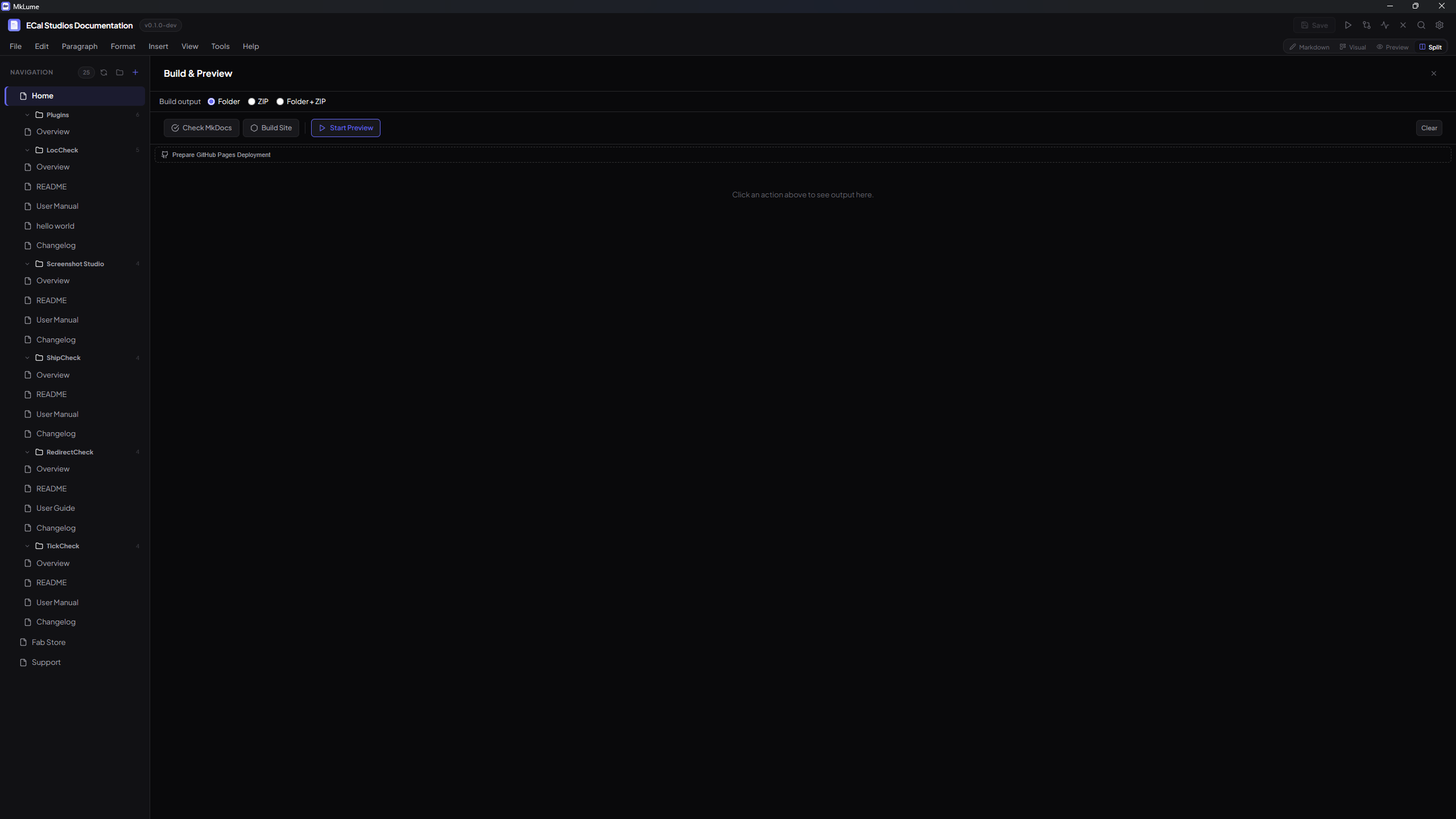
Build runtime
The Windows installer includes a bundled/app-managed MkDocs runtime for build, export, and local serve actions. For normal installed usage, you do not need to install Python, MkDocs, or Material for MkDocs manually.
Developer/source workflows are different. If you run MkLume from source or build docs manually outside the app, you may still need Python and MkDocs installed in that development environment.
Build options
The Build panel offers three common outputs:
Build to folder
Generates your site into a site/ directory inside your project folder. This is the standard MkDocs output and contains everything needed to serve your documentation.
Build to ZIP
Creates a compressed .zip archive of the built site. This is useful when you want to upload the site manually, keep a release copy, or send the built output to someone else.
Build both
Creates the folder and the ZIP in one pass, so you can test locally and keep a packaged copy.
Output folders
| Output | Use it for |
|---|---|
site/ |
The built static website folder. Upload the contents to your hosting provider. |
| ZIP export | A packaged copy of the built website for upload, backup, or handoff. |
Source vs built site
Your source project contains Markdown files, images, and mkdocs.yml. The built site is generated output. Edit the source files. Upload the built output.
What the built site contains
The generated site includes:
- HTML pages generated from your Markdown files.
- CSS and JavaScript used by MkDocs Material.
- Images and assets from your docs folder.
- Search files for client-side search.
- Any configured extra CSS, JavaScript, analytics, social links, or theme settings.
Local serve
MkLume can run a local MkDocs server so you can review the site in your browser before publishing.
Typical local preview address:
http://127.0.0.1:8000/
If the port is already in use, close the other server or restart the local preview.
Deploying your site
MkLume does not ask for hosting passwords, API keys, or deployment tokens. You build locally, then upload the generated files using the workflow you trust.
Common options:
- Cloudflare Pages — upload or connect your repository depending on your setup.
- Netlify — drag and drop the built site or connect a repository.
- GitHub Pages — use the GitHub Pages Deploy Assistant to generate a workflow file.
- Shared hosting — upload the
site/contents with FTP or your hosting control panel. - Any static host — if it can serve HTML files, it can host the built site.
Troubleshooting builds
Build fails immediately
Open the Build panel output and read the first error. Most failures are caused by invalid YAML, missing files, broken navigation entries, or unsupported MkDocs extensions.
A page is missing from the site
Make sure the Markdown file exists and is included in your navigation, or that it is reachable from another page.
Images are broken
Check that the image exists inside your docs/ folder and that the Markdown path matches the real file name exactly.
The website looks different than expected
Review mkdocs.yml, theme settings, extra CSS, and enabled extensions. For final checks, always preview the built site before uploading it publicly.