RedirectCheck
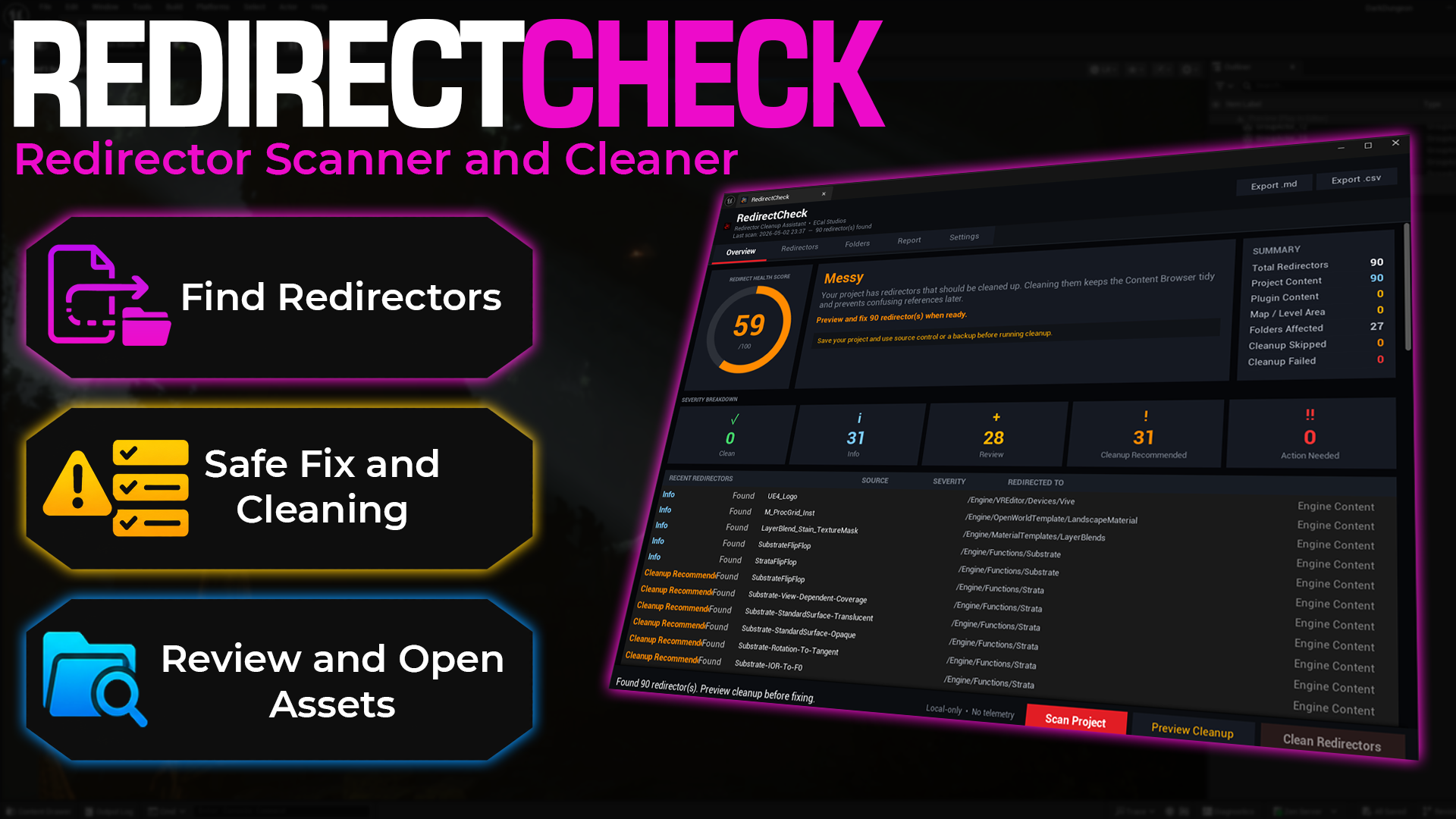
Fab listing: Open RedirectCheck on Fab
RedirectCheck is an editor-only Unreal Engine plugin by ECal Studios that helps you find, review, and clean redirectors before packaging, submitting, or sharing your project.
Redirectors are small helper assets created by Unreal Engine when you move or rename content. They are useful while you work, but if they pile up, they can make a project feel messy, harder to maintain, and less professional before release.
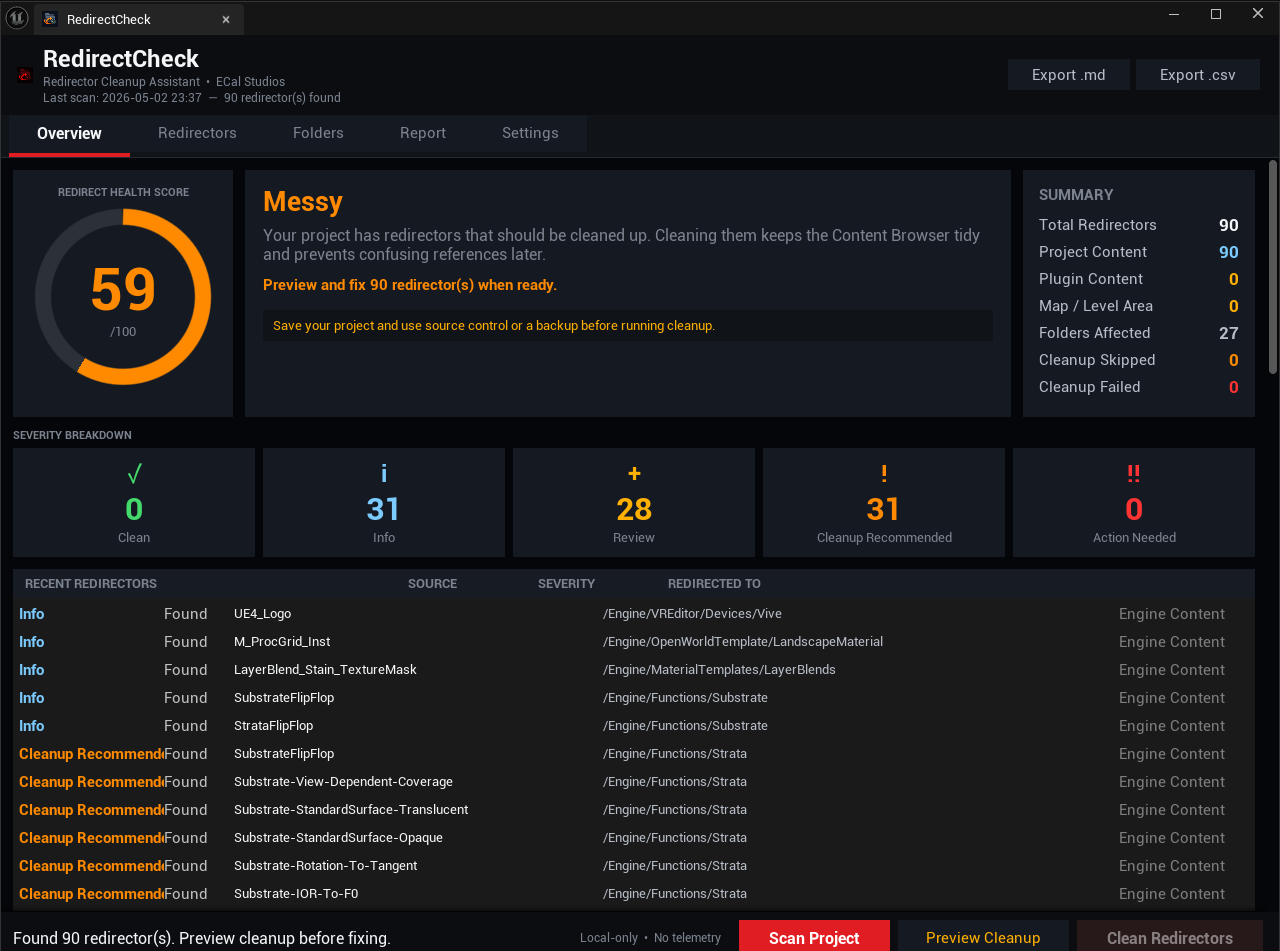
RedirectCheck gives you a clean dashboard, a health score, clear severity labels, folder breakdowns, cleanup preview, and exportable reports so you can handle redirectors with confidence.
Main Features
- Project-wide redirector scan using Unreal's Asset Registry
- 0–100 Redirect Health Score
- Clear severity levels:
- Clean
- Info
- Review
- Cleanup Recommended
- Action Needed
- Redirector source classification:
- Project content
- Plugin content
- Map folders
- Engine content
- Per-redirector explanation text
- Preview Cleanup step before any cleanup is allowed
- Cleanup through Unreal Engine's own
FixupReferencersworkflow - Automatic rescan after cleanup
- Before and after comparison in the Report tab
- Markdown and CSV report export
- Double-click any redirector row to sync it in the Content Browser
- Per-project local settings
Why Use RedirectCheck?
Unreal redirectors are normal, especially during active development. The problem is that they are easy to forget.
RedirectCheck helps you answer simple but important questions:
- Do I have redirectors in my project?
- Are they only in my own content, or also inside plugin folders?
- Is it safe to clean them now?
- Which folders are affected?
- Did cleanup actually work?
- Can I export a report for my own records?
It is especially useful before:
- Packaging a build
- Sending a project to another developer
- Submitting content to Fab
- Cleaning up after asset migration
- Restructuring project folders
- Preparing a project for release
Supported Unreal Engine Versions
| Engine Version | Status |
|---|---|
| Unreal Engine 5.5 | Supported |
| Unreal Engine 5.6 | Supported |
| Unreal Engine 5.7 | Supported |
| Unreal Engine 5.4 and earlier | Not supported |
Platform Support
| Platform | Status |
|---|---|
| Windows | Supported |
| Mac | Supported |
| Linux | Supported |
RedirectCheck uses public Unreal Engine APIs and is built as an editor-only module. Windows is the primary supported platform for this version.
Project Compatibility
| Project Type | Supported |
|---|---|
| C++ projects | Yes |
| Blueprint projects with C++ enabled | Yes |
| Blueprint-only projects without C++ | No |
If your project is Blueprint-only, you can enable C++ support by creating any basic C++ class from Tools > New C++ Class inside Unreal Engine.
Runtime Impact
RedirectCheck is an editor-only plugin.
It is excluded from packaged builds and has zero runtime impact on your game.
Installation From Fab
- Purchase or add RedirectCheck from Fab.
- Open the Epic Games Launcher.
- Go to Library > Vault.
- Find RedirectCheck.
- Install it to the correct Unreal Engine version.
- Open your project.
- Go to Edit > Plugins.
- Search for RedirectCheck.
- Enable the plugin.
- Restart the editor.
- Open it from Tools > ECal Studios > RedirectCheck.
Installation From Source or Zip
- Extract the zip file.
- Make sure the folder is named
RedirectCheck. - Place it inside your project’s
Pluginsfolder.
YourProject/
  Plugins/
    RedirectCheck/
      RedirectCheck.uplugin
      Source/
      Resources/
- Right-click your
.uprojectfile. - Choose Generate Visual Studio project files.
- Open the project.
- Let Unreal compile the plugin when prompted.
- Open the tool from Tools > ECal Studios > RedirectCheck.
Basic Workflow
- Open Tools > ECal Studios > RedirectCheck.
- Click Scan Project.
- Review the health score, severity cards, redirector list, and folder breakdown.
- Click Preview Cleanup to confirm what will be processed.
- Click Clean Redirectors when you are ready.
- Check the Report tab for the before and after result.
- Export a Markdown or CSV report if needed.
Important Safety Notes
RedirectCheck uses Unreal Engine’s own redirector cleanup workflow, but cleanup still modifies package files on disk.
Before cleaning redirectors, it is strongly recommended to:
- Save all open assets
- Use source control
- Commit your current work
- Review plugin content carefully before cleaning it
- Avoid cleaning content that belongs to third-party plugins unless you know it is safe
Cleanup cannot be undone with Ctrl+Z. Source control is the proper rollback path.
Reports
Reports are saved locally to:
Saved/RedirectCheckReports/
Reports can include:
- Health score
- Severity breakdown
- Redirector counts
- Source classification
- Before and after cleanup comparison
- Per-redirector details
Privacy
RedirectCheck is fully local.
It does not upload data, use telemetry, require accounts, or make network connections.
Support
Documentation: RedirectCheck Documentation
Website: ecalstudios.com
Fab: RedirectCheck on Fab
Support: [email protected]
When contacting support, please include:
- Unreal Engine version
- RedirectCheck version
- What you were trying to do
- Relevant Output Log lines, especially anything containing
LogRedirectCheck