Reference
This page collects the smaller reference topics in one place so the documentation stays easier to browse.
Keyboard shortcuts
Shortcuts may change before the public release, but these are the kinds of actions MkLume is designed to support.
| Action | Shortcut |
|---|---|
| Save current file | Ctrl+S / Cmd+S |
| Open command palette | Ctrl+Shift+P / Cmd+Shift+P |
| Find in current file | Ctrl+F / Cmd+F |
| Toggle preview or split view | App command / toolbar action |
| Build project | Build panel action |
Note
Final shortcuts should be checked against the release build before publishing the first public installer.
Settings
The settings panel is where you adjust app-level preferences.
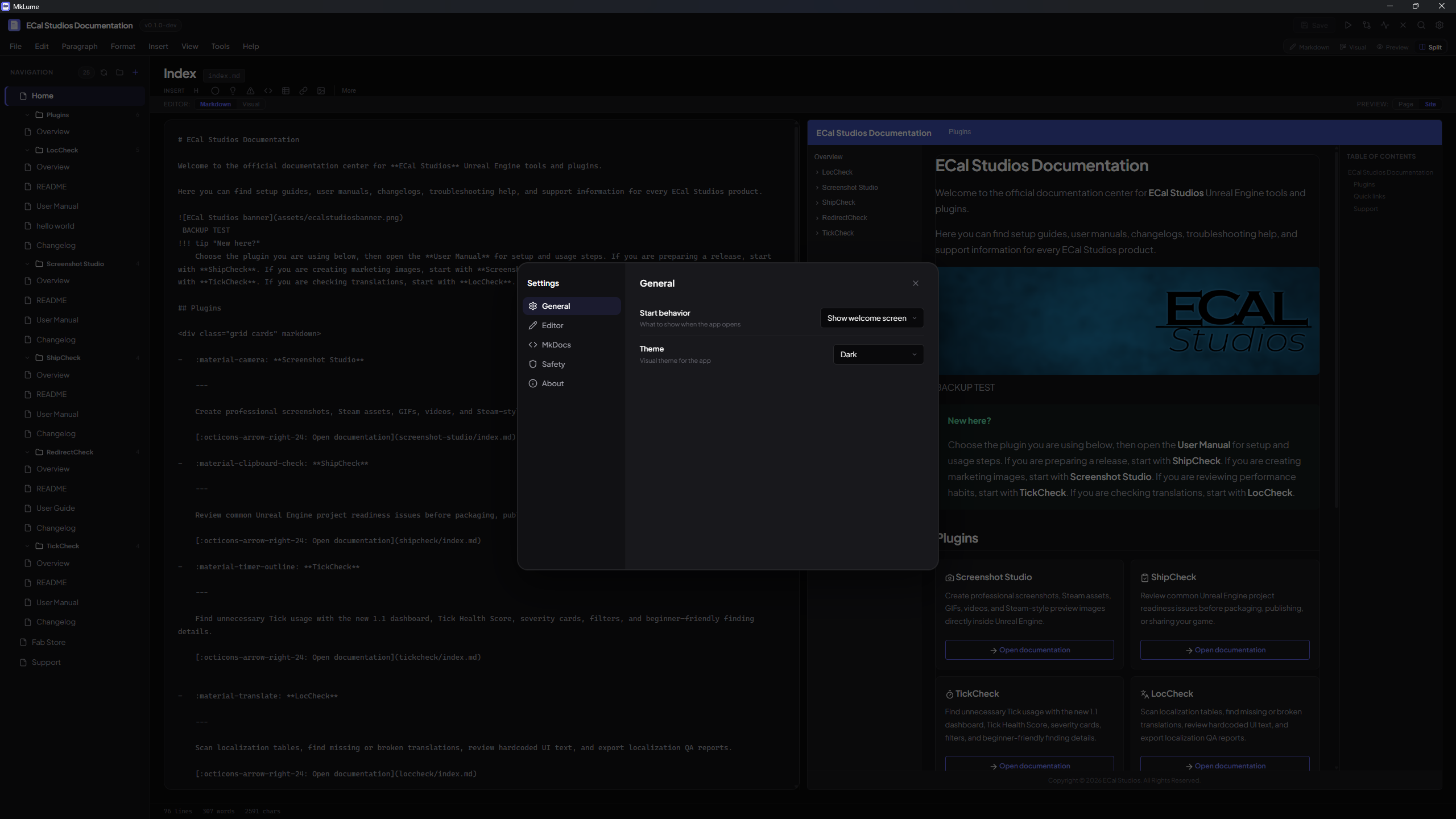
Settings may include:
- Editor behavior.
- Preview behavior.
- Theme preferences.
- Build tool paths.
- Backup behavior.
- Integration options.
Security and privacy
MkLume is designed as a local-first documentation editor.
That means:
- Your documentation files stay on your computer.
- You do not need an MkLume account to edit projects.
- Building uses local tools installed on your system.
- Git actions use your local Git setup.
- Deployment should stay under your control.
Secrets and tokens
Avoid storing private tokens, passwords, API keys, or personal secrets in documentation projects. MkLume can help edit files, but it cannot know which text is safe to publish.
Open source
MkLume is planned as a free and open-source app under GPLv3.
That fits the goal of keeping the core utility available to everyone instead of locking normal documentation work behind a paid tier.
Future optional support may include donations, themes, templates, or other extras that do not block the main app.
Troubleshooting
MkLume cannot open my project
Check that you selected the project root — the folder that contains mkdocs.yml.
Correct:
my-project/mkdocs.yml
Not ideal:
my-project/docs/index.md
The full site preview does not start
Make sure Python and MkDocs are installed:
python --version
mkdocs --version
If your project uses a requirements.txt, install it:
pip install -r requirements.txt
Images are missing after moving the project
Use project-relative paths instead of absolute paths.
Good:

Bad:

Build fails
Run the build command in a terminal from the project root:
mkdocs build
The terminal output usually gives the clearest error. Common causes include broken YAML indentation, missing plugins, missing Python packages, or invalid Markdown extension settings.
Git Sync does not work
Check that Git is installed:
git --version
Also check that the project is already a Git repository:
git status
If the folder is not a repository yet, initialize it or clone the project from GitHub first.
Cloudflare deployment does not show my newest changes
Check these things:
- Did the build finish successfully?
- Did you upload the newest
site/folder? - Is Cloudflare serving an older cached version?
- Did you deploy to the correct project/domain?
- Are you checking the correct URL?
FAQ
Is MkLume only for programmers?
No. It is made to make MkDocs easier for people who like the output of MkDocs Material but do not want to edit everything by hand all the time.
Does MkLume replace MkDocs?
No. MkLume is an editor and helper app around MkDocs projects. MkDocs still builds the final static site.
Can I edit files manually too?
Yes. MkLume works with normal Markdown files and normal MkDocs project folders.
Does MkLume host my website?
No. MkLume helps you build and export the site. You choose where to host it, such as Cloudflare Pages, GitHub Pages, Netlify, or your own server.
Will MkLume have a paid pro version?
The main app is planned as free and open source. Optional support ideas like themes or templates may come later, but the core utility should stay available.
Where should I report bugs?
Use GitHub Issues when possible. You can also use the support page if you need a simpler contact path.
Changelog
1.0.1 — Visual editor polish update
- Improved Visual Mode rendering for MkDocs Material card grids.
- Added resolved image thumbnails in Visual Mode.
- Improved card image fit, card spacing, inline card links/images, and Preview card descriptions.
- Improved icon shortcode rendering in Visual Mode and Preview Mode.
- Added icon insertion through the Insert menu and Visual Mode slash command.
- Improved dark-mode visibility for Visual Mode block action buttons.
1.0.0 — First public release
- Added the first public release of MkLume.
- Added Markdown Mode, Visual Editor, Page Preview, Site Preview, Split View, Project Health, Site Settings, Git Sync, Build/Export, GitHub Pages Deploy Assistant, backups, recovery, and Offline Quick Help.
Known limitations
MkLume is still early, so a few areas should be treated as practical limitations instead of bugs:
- macOS and Linux packages are planned for a future release.
- Some very complex Markdown or custom HTML may stay as Raw Markdown in Visual Mode.
- Site Preview is an approximation of MkDocs Material, not a full browser build of every possible theme customization.
- Git Sync depends on the user's local Git installation and credentials.